Dievio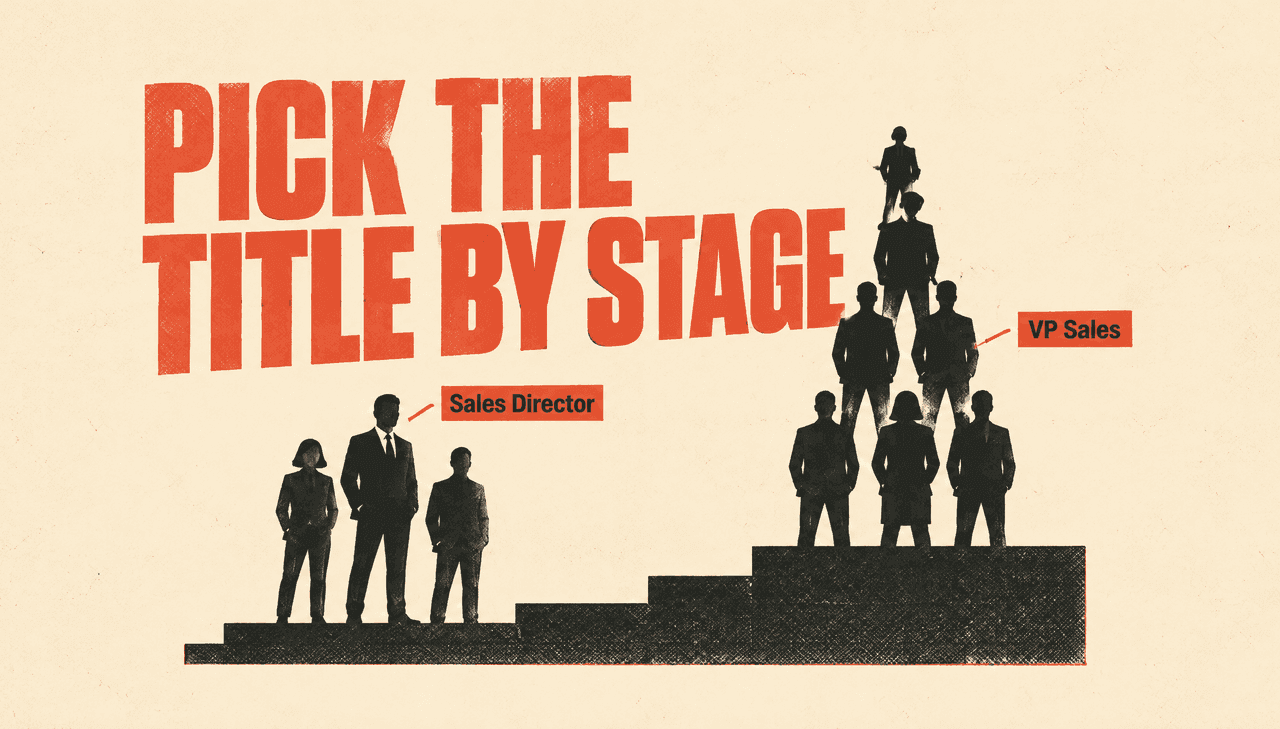
Sales Director vs VP Sales Email Search by Company Stage
Sales Director and VP Sales look like interchangeable labels on a spreadsheet. In practice, they map to different company stages, different reporting lines, and different levels of budget authority. If you treat them as synonyms in role-based email search, you end up with a list that either over-indexes on junior titles at large companies or misses the actual decision-maker at a startup. The result is wasted credits, low reply rates, and a coverage gap you only notice after the first sequence flops.
This comparison is built for outbound operators who need to decide which title to target, when to target both, and how to filter role-based searches so the list matches the buying reality of each account. We will look at how the two roles differ by org structure, where each title actually appears by company stage, how coverage shifts with headcount and revenue, and how to build a stage-aware list without duplicating effort or overpaying for bad matches.
Why sales leadership titles confuse outbound data
The confusion starts with label overlap. A 40-person SaaS company might have a VP Sales who owns the entire revenue function. A 400-person company might have a VP Sales who manages a team of five Sales Directors, each responsible for a segment or region. A 4,000-person enterprise might have both titles in the same department, with Sales Directors running day-to-day team execution and VPs owning strategy and forecasting.
When you search a B2B contact database for "sales leadership," the title filter returns a mix of these realities. Without company-stage filters, you cannot tell whether a VP Sales is a hands-on decision-maker or a middle manager. You also cannot tell whether a Sales Director is a first-line manager with budget influence or a senior individual contributor with no purchasing power.
This is why role-based outbound requires more than a title keyword. You need to combine title, seniority, department, company size, and sometimes reporting line to get clean coverage. The same logic applies whether you are building a list for a cold email sequence, a LinkedIn outreach campaign, or a multi-threaded ABM play. As HubSpot notes in its prospecting guide, effective outbound starts with a clear definition of who you are trying to reach and why they would care. Title alone rarely provides that definition.
How the two roles actually differ in mid-market and enterprise orgs
In mid-market companies, the VP Sales is often the top revenue leader. They report to the CEO or founder, own the number, and have direct authority over sales process, hiring, and tooling. A Sales Director in the same company might report to the VP Sales and manage a team of account executives. They influence decisions but rarely sign off on new software or services without VP approval.
In enterprise organizations, the structure shifts. A VP Sales may report to a Chief Revenue Officer or SVP. They own a region or product line and manage multiple Sales Directors. The Sales Directors are closer to the front line, with deep knowledge of daily pain points, but budget authority often sits one or two levels above them. For outbound, this means a Sales Director can be a strong champion or technical evaluator, while the VP Sales is more likely to be the economic buyer.
There are exceptions. Some companies use "Director of Sales" for player-coaches who own a small team and a revenue target. Others use "VP Sales" for a single contributor who manages strategic accounts. This is why you cannot rely on title alone. You need to look at company size, department headcount, and sometimes the reporting line to understand what the title actually means in that account.
Salesforce's B2B lead generation best practices emphasize qualifying leads by fit and intent, not just job title. The same principle applies to list building: a title is a starting filter, not a final answer.
Company-stage mapping: where each title actually appears
Company stage is the strongest predictor of which sales leadership title you will find. Early-stage companies lean on a single revenue leader. As they grow, they add layers of management. The table below shows the typical pattern across stages, based on common org structures in B2B software and services.
| Company stage | Typical headcount | Common sales leadership titles | Who owns budget |
|---|---|---|---|
| Seed / Series A | 10–50 | VP Sales, Head of Sales, Founder | Founder or VP Sales |
| Series B–C | 50–200 | VP Sales, Sales Director (first-line) | VP Sales, sometimes CEO |
| Mature mid-market | 200–1,000 | VP Sales, Sales Director, Regional Director | VP Sales or CRO |
| Enterprise | 1,000+ | VP Sales, Sales Director, SVP, CRO | CRO, SVP, or VP depending on deal size |
At the seed and Series A stage, you will rarely find a Sales Director. The VP Sales is often the first sales hire and may still carry a quota. At Series B and C, the VP Sales role becomes more managerial, and the first Sales Directors appear to manage teams of three to eight reps. In mature mid-market companies, you see multiple Sales Directors, each owning a segment, region, or product line. In enterprise, both titles exist in abundance, but the decision-making power is distributed across layers.
This mapping matters for email search because coverage varies by stage. A search for "VP Sales" in a list of 10–50 person companies will return a high percentage of actual decision-makers. The same search in a list of 1,000+ person companies will return many VPs who are two levels removed from budget approval. Conversely, a search for "Sales Director" in early-stage companies will return almost nothing, while the same search in enterprise will return hundreds of relevant champions.
Coverage math: which role returns more verifiable emails
Coverage is the percentage of contacts in a target segment that have a verifiable email address. It is not the same as match rate. A database might have 10,000 VP Sales contacts, but only a portion with a verified email. The rest are either missing, stale, or unverifiable. When you build a role-based list, you need to preview coverage before you export.
In general, VP Sales contacts tend to have higher coverage in smaller companies because the role is more standardized and the person is more likely to be publicly listed. Sales Director contacts tend to have higher coverage in larger companies because there are more of them and they are often listed on team pages, LinkedIn, and press releases. These are broad patterns rather than hard rules, and the actual numbers you see will depend on the provider, industry, and geography you filter on.
Coverage also depends on industry and geography. A VP Sales at a US-based SaaS company may have a higher coverage rate than a Sales Director at a European manufacturing firm, where GDPR restrictions and limited public data reduce what's available. The exact gap varies by source. You can preview these differences using a tool like Dievio's lead preview, which shows counts before you spend credits.
The key takeaway: do not assume one title is always better. Instead, define your target segment by stage, size, and industry, then preview coverage for both titles. Choose the title that gives you the best combination of coverage and decision-making authority. In many cases, you will need both.
Filter design for Sales Director role-based email search
When you search for Sales Director contacts, you need to account for title variants. Common variants include "Sales Director," "Director of Sales," "Regional Sales Director," "Director of Sales Operations," and "Senior Sales Director." Some of these are true sales leadership roles; others are operations or support roles. You can exclude operations by filtering out titles containing "operations," "enablement," or "support."
Seniority filters help separate first-line managers from senior individual contributors. In most databases, "Director" is a seniority level, but you can further narrow by department. Set department to "Sales" and exclude "Marketing," "Customer Success," and "Business Development" unless those are relevant to your offer.
Company size filters are critical. Sales Directors at companies with 50–200 employees are often player-coaches with budget influence. Sales Directors at companies with 1,000+ employees are more likely to be middle managers. If you are selling a tool that requires VP approval, targeting Sales Directors at large companies may only get you a champion, not a buyer. If you are selling a low-cost solution or a service that a director can approve, they can be a strong primary target.
For a deeper dive on filter combinations, see this guide to multi-channel personalization for role-based outbound. It covers title variants, seniority, and exclusion logic in more detail.
Filter design for VP Sales role-based email search
VP Sales searches are more straightforward because the title is less ambiguous. Common variants include "VP Sales," "Vice President of Sales," "VP of Sales," "SVP Sales," and "Head of Sales." In smaller companies, "Head of Sales" is often equivalent to VP Sales. In larger companies, "SVP Sales" may report to a CRO and manage multiple VPs.
Headcount and revenue bands are the most important filters for VP Sales. At companies with 10–50 employees, a VP Sales is almost always a decision-maker. At 50–200 employees, they are still likely to be the top sales leader, but they may need CEO approval for large purchases. At 200–1,000 employees, they may report to a CRO or CEO and have significant autonomy. At 1,000+ employees, they may be one of several VPs and may not own the final budget.
You can also filter by department to ensure you are not pulling in VPs of Sales Engineering, Sales Operations, or Sales Enablement. Those roles are valuable for technical validation but rarely own the commercial budget.
For a detailed breakdown of how company size affects VP Sales coverage, see this article on VP Sales email search by industry vertical. It includes coverage benchmarks and filter recommendations for each size band.
Comparison table: Sales Director vs VP Sales by company stage
The table below summarizes the tradeoffs. Use it as a decision guide when you are building a list for a specific campaign.
| Company stage | Headcount | Reporting line | Expected coverage | When to choose Sales Director | When to choose VP Sales |
|---|---|---|---|---|---|
| Seed / Series A | 10–50 | VP Sales reports to founder/CEO | VP Sales: high; Sales Director: very low | Rarely. Only if the title exists and you need a champion. | Almost always. This is the primary decision-maker. |
| Series B–C | 50–200 | Sales Director reports to VP Sales | VP Sales: high; Sales Director: medium | When you need front-line validation or a low-cost entry point. | When you need budget approval and strategic alignment. |
| Mature mid-market | 200–1,000 | Sales Director reports to VP Sales or CRO | VP Sales: medium-high; Sales Director: high | When your offer solves a team-level pain and can be approved at director level. | When your deal size requires VP or C-level sign-off. |
| Enterprise | 1,000+ | Sales Director reports to VP Sales; VP reports to SVP/CRO | VP Sales: medium; Sales Director: high | When you need a champion to navigate procurement and build internal consensus. | When you have a clear line to the economic buyer and can handle longer cycles. |
Notice that the "when to choose" columns are not mutually exclusive. In many campaigns, the best approach is to target both titles in the same account, with different messaging. This is multi-threading.
Multi-threading both titles in one account
Multi-threading means reaching out to more than one contact in the same account. It is not about spamming the entire department. It is about identifying two or three roles that play different parts in the buying process and tailoring your message to each.
For sales leadership, a common multi-threaded approach is to target the VP Sales as the economic buyer and the Sales Director as the champion or evaluator. Your VP Sales message focuses on business outcomes, revenue impact, and strategic alignment. Your Sales Director message focuses on daily workflow, team productivity, and ease of implementation. Both messages reference the same account but do not duplicate each other.
To avoid duplicate effort, you need to exclude contacts you have already reached. Most outbound tools let you suppress domains or email addresses. You can also use a decision-maker email list hub to organize contacts by role and account. Dievio's decision maker email lists page is built for this kind of multi-threaded leadership outreach.
LinkedIn's lead scoring guidance suggests prioritizing roles based on their influence and engagement. In a multi-threaded sequence, you can score the VP Sales higher for budget authority and the Sales Director higher for product fit. This helps you decide who gets the first touch and who gets the follow-up.
Role-based email search checklist
Before you export a list, run through this checklist to avoid common mistakes.
- Verify title variants. Include "Sales Director," "Director of Sales," "VP Sales," "Vice President of Sales," and "Head of Sales." Exclude operations, enablement, and support titles unless relevant.
- Set company size bands. Use headcount or revenue filters to match your ICP. Do not mix early-stage and enterprise in the same list unless you have separate sequences.
- Preview counts. Use a preview tool to see how many contacts match your filters before you spend credits. Check coverage for both titles.
- Exclude duplicates. If you are targeting both titles, make sure you are not pulling the same person twice under different title variants.
- Validate emails. Run a validation pass before export. This reduces bounce rates and protects your sender reputation.
- Segment by stage. Create separate lists for early-stage, mid-market, and enterprise. Your messaging and offer should differ by stage.
This checklist is not just about data hygiene. It is about respecting the buyer's context. A VP Sales at a 30-person startup has different priorities than a VP Sales at a 3,000-person enterprise. Your list should reflect that.
Workflow: building a stage-aware sales-leadership list
Here is a step-by-step workflow you can follow in any role-based email search tool. We will use Dievio's B2B lead search with 20+ filters as the example, but the logic applies elsewhere.
- Define your target stage. Decide whether you are going after seed/Series A, Series B–C, mature mid-market, or enterprise. Write down the headcount and revenue bands.
- Choose your primary title. Based on the stage mapping above, pick either Sales Director or VP Sales as your primary target. If you are unsure, start with VP Sales for early-stage and Sales Director for enterprise.
- Add title variants. Include all common variants for your chosen title. Exclude unrelated departments.
- Set company filters. Apply headcount, revenue, industry, and geography filters. Keep the list focused.
- Preview coverage. Check how many contacts match and what percentage have verified emails. If coverage looks thin, adjust your filters or consider the other title.
- Add the secondary title. If you plan to multi-thread, add the other title as a separate segment. Use the same company filters but different title filters.
- Export and validate. Export the list, run email validation, and remove duplicates. Load into your sequencing tool.
- Personalize by stage. Use different templates for each stage and title. Reference the specific pain points of that role and company size.
For a more focused starting point, you can use the Sales Director email search page or the VP Sales email search page. Both pages let you apply company and data filters directly.
Common mistakes and how to avoid them
Mistake 1: Treating titles as synonyms. Sales Director and VP Sales are not the same buyer. They have different authority, different pain points, and different reporting lines. If you use the same message for both, you will underperform.
Mistake 2: Ignoring company stage. A VP Sales at a 20-person startup is not the same as a VP Sales at a 2,000-person enterprise. Stage changes everything: budget authority, team size, and buying process. Always filter by stage.
Mistake 3: Overpaying for low-coverage segments. Some title and stage combinations have poor email coverage. For example, Sales Directors at seed-stage companies are rare and often unlisted. If you export a low-coverage list, you waste credits on contacts that will bounce. Preview coverage first.
Mistake 4: Forgetting to exclude duplicates. When you search for multiple title variants, you may pull the same person twice. This inflates your list size and causes duplicate outreach. Use email or LinkedIn URL as a unique identifier.
Mistake 5: Not validating before export. Even high-coverage lists can contain stale emails. Validation is cheap compared to the cost of a damaged sender reputation. Always validate.
For a broader look at data quality, see this guide to data privacy compliance for B2B lead generation. It frames how coverage and accuracy should be evaluated before you commit credits to any provider.
Putting it together: a role-first outbound framework
The best outbound coverage comes from matching the title to the company stage, then multi-threading when the deal size justifies it. Early-stage companies need VP Sales or founder outreach. Mid-market companies often need both VP Sales and Sales Directors, with different messages. Enterprise companies need Sales Directors as champions and VPs as economic buyers.
Your role-based email search should start with a clear stage definition, then apply title variants, company filters, and coverage previews. Do not assume one title is always better. Test both, measure reply rates, and adjust your filters based on what actually reaches the inbox.
If you are ready to build a stage-aware sales leadership list, start with the Sales Director email search page or the VP Sales email search page. Both let you preview counts, apply company-stage filters, and export verified contacts without overpaying for bad matches. For a broader list-building workflow, use the B2B lead search with 20+ filters to combine title, seniority, department, and company size in one search.
The operator's rule is simple: define the stage, pick the title that owns the pain, preview coverage, validate, and multi-thread only when the deal size warrants it. That is how you turn a title search into outbound coverage that actually converts.