Dievio

Key points
- Preview-first workflow: validate segment size before any credit spend
- What preview counts prove — and what they cannot prove about accuracy
- Comparison table: credit-first export vs preview-first validation patterns
Most teams shopping for an Apollo alternative open the evaluation with the same question: which tool has the biggest database? It is the wrong first question. The better one is: how much does it cost me to find out whether a segment is even worth pursuing?
That second question is where credit-first export workflows quietly break down. You build a filter set, you retrieve contacts, and only then do you learn that the segment is 40 people wide, or 400,000 wide, or full of titles that do not match what you actually meant. The discovery cost and the retrieval cost are bundled together, and you pay for both before you have any evidence the segment is viable.
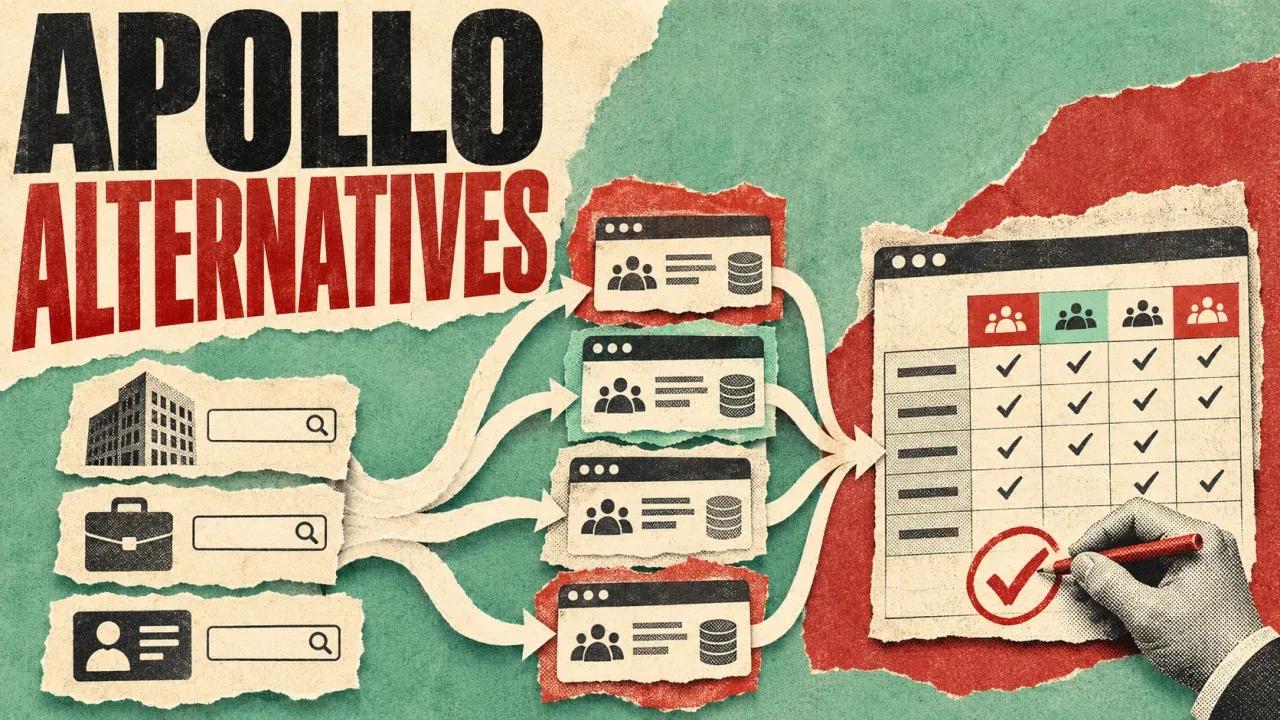
A preview-first workflow separates those two costs. You define the segment, preview the count, validate the logic, and only then retrieve contacts. This article compares the two patterns honestly — including what a count preview can and cannot tell you — and gives you a framework, a checklist, and a set of guardrails you can apply before your next export.
1. The Credit-Spend Problem in Traditional Export Workflows
The standard pattern in credit-driven prospecting tools looks like this:
- Build a filter set from your ICP hypothesis — titles, seniority, company size, industry, geography.
- Retrieve contacts matching those filters.
- Evaluate the result: is the list the right size? Are the titles right? Are there duplicates? Is the segment even coherent?
The problem is step three. Evaluation happens after the spend. If the segment turns out to be unusable — too thin to run a sequence, too broad to personalize, or populated with the wrong job functions — the credits are already gone. You learned something, but you paid retrieval prices for a discovery answer.
This is not a flaw unique to any one vendor. It is a structural property of any workflow where the only way to see the shape of a segment is to buy it. And it compounds in a few predictable ways:
- Iteration is expensive. Refining an ICP normally takes several passes. In a credit-first model, every pass costs the same as a final export.
- Broad segments hide narrow problems. A 50,000-contact result can look healthy in aggregate while being 80% wrong for your actual buying role.
- Budget planning gets fuzzy. If you cannot estimate segment size before retrieval, you cannot forecast how many segments your monthly credits will cover.
- Stakeholders get false confidence. A big number feels like a big opportunity, even when the filters behind it were never validated.
Salesforce's guidance on B2B lead generation strategy makes the underlying point well: segment definition drives list quality. If the definition is loose, no amount of data volume rescues the campaign. The preview-first argument is simply that you should be able to test the definition before you pay to populate it.
2. What a Preview-Based Lead Count Actually Does
A count preview returns an estimated match volume for a given filter set, before contact retrieval. You configure the same filters you would use for an export — titles, seniority, departments, company size, revenue bands, geography, industry, business model, domains, funding dates — and the system tells you roughly how many records match.
That single capability changes the order of operations. Instead of filter → retrieve → evaluate, you get filter → preview → validate → retrieve. The preview becomes a cheap hypothesis test.
What the preview is genuinely good for
- Market sizing. How many VP-level revenue leaders exist at Series B SaaS companies in North America? A count gives you an order of magnitude, which is usually enough to decide whether a segment deserves a campaign.
- Segment validation. Does adding a department filter collapse the count from 12,000 to 90? That tells you something about how the attribute is populated and whether your filter logic is realistic.
- ICP sanity checks. If your "ideal customer profile" returns 300 people globally, the ICP is narrower than your go-to-market motion can support.
- Budget forecasting. Knowing segment sizes lets you plan how many segments a given credit allocation can realistically cover.
What the preview does not prove
This is the part that gets glossed over in most comparison content, so it is worth stating plainly. A count preview tells you about volume under current filter logic. It does not tell you:
- Whether the underlying records are accurate today.
- Whether email fields are deliverable — a populated email field is field availability, not a fresh SMTP or deliverability test.
- Whether phone fields exist uniformly across the segment. Optional phone coverage varies by record.
- Whether the people in the segment will convert, respond, or care.
- Whether time-sensitive attributes such as funding dates reflect a current event or a stored value.
In other words, a preview is a sizing instrument, not a quality guarantee. Treat it as the first gate, not the last one. You can see how count previews work in practice on the preview lead counts before spending credits page.
3. Workflow Comparison: Credit-First Export vs Preview-First Validation
The two patterns are easiest to compare side by side. The table below describes workflow shapes, not any specific vendor's credit mechanics — those vary by plan and change over time.
| Dimension | Credit-first export pattern | Preview-first validation pattern |
|---|---|---|
| Step sequence | Filter → retrieve contacts → evaluate segment | Filter → preview count → validate logic → retrieve contacts |
| When credits are spent | At retrieval, before any viability signal exists | At retrieval, after the segment has passed a volume and logic check |
| Primary failure mode | Spending on segments that turn out to be too thin, too broad, or mis-filtered | Trusting a count as a proxy for accuracy, freshness, or deliverability |
| Iteration cost | Each ICP refinement pass costs roughly the same as a final export | Refinement passes are cheap until you decide to retrieve |
| Budget predictability | Hard to forecast; segment size is unknown until purchase | Easier to forecast; you can plan segment coverage against a credit budget |
| Best fit | Teams with a locked ICP and a narrow, well-understood target market | Teams still testing ICP hypotheses, agencies sizing client segments, ops teams planning refreshes |
Neither pattern is universally correct. If your ICP has been stable for two years and you know exactly which filters produce a usable list, the preview step adds a little friction for modest benefit. The preview-first pattern earns its keep when the segment definition is still in motion — which, for most teams evaluating an Apollo alternative, it is.
4. A Credit-Efficiency Framework for List Building
Here is the sequence that makes preview-first workflows operational rather than theoretical. Six stages, in order:
- Define. Write the ICP as a filter set, not a paragraph. Titles, seniority, department, company size, revenue band, geography, industry, business model, domains, funding date ranges.
- Preview. Get the count. Do not retrieve yet.
- Validate. Run the checklist in the next section. Adjust filters and re-preview until the segment is coherent.
- Retrieve. Pull contacts only for segments that passed validation.
- Verify. Run an independent verification workflow on email fields before outreach. Do not assume a populated field is a deliverable one.
- Export. Move the verified list into your sending tool or CRM with field mapping already decided.
A clearly labeled hypothetical
To show why the sequence matters, consider an illustrative example. The numbers below are hypothetical and chosen for arithmetic clarity only. They do not reflect any real pricing, credit cost, or plan limit — check the live pricing page for actual rules.
- A team has 20 segment candidates in mind for a quarter of outbound.
- They preview all 20 counts. Cost of previewing: assumed to be zero or near-zero for the sake of the example.
- Five segments pass the volume threshold — say, more than 500 contacts and fewer than 20,000.
- Three of those five survive the validation checklist after filter adjustments.
- Only those three are retrieved.
Under a credit-first pattern with the same 20 candidates, the team would have had to retrieve all 20 to learn the same thing — or retrieve a handful and guess about the rest. The arithmetic assumption here is simply that retrieval costs more than previewing. If that assumption holds in your plan, previewing reduces wasted retrieval. It does not promise a specific percentage saving, because the real number depends on your plan, your filter discipline, and how many of your hypotheses are wrong. For a fuller modeling approach, the Apollo alternative cost calculator walkthrough breaks down per-list and per-export cost logic.
5. Segment Validation Checklist Before Any Export
Run this before you spend a single retrieval credit. It is deliberately mechanical — the point is to catch filter mistakes while they are still free to fix.
- Titles match the buying role. Are you targeting "VP Sales" or "Head of Revenue Operations"? Those are different people with different filters. Check that your title list does not include adjacent roles you would not actually email.
- Seniority filter is aligned. A seniority filter set to "Director and above" will pull in directors who have no budget authority in your deal size. Confirm the seniority band matches the role you described.
- Department filter maps to function. "Sales" and "Business Development" are separate attributes in most datasets. Decide which one you mean.
- Company size and revenue bands are consistent with your ICP. A 50–200 employee filter combined with a $500M+ revenue filter will produce a strange, thin segment.
- Geography is not over-narrowed. City-level filters plus industry plus title often collapse a segment below usability.
- Industry filters are checked against real target accounts. Spot-check a handful of companies in the result against your actual account list.
- Business model and domain filters are verified. If you are filtering by business model, confirm the attribute means what you think it means for your market.
- Funding date is treated as a stored attribute. A funding date filter reflects a recorded value, not a live funding-round feed. Do not treat it as a real-time trigger.
- Count falls in a workable range. Too thin to sequence, or too large to personalize — both are failure states, just different ones.
- Duplicates across filter variants are accounted for. If you build three overlapping segments, you will email the same person three times unless you dedupe.
- Exclusions are applied. Current customers, open opportunities, and recently contacted accounts should be filtered out before retrieval, not after.
HubSpot's overview of sales prospecting frames this as ICP discipline: the quality of a prospecting motion is largely determined before the first message goes out. The checklist above is that discipline applied to filter configuration.
 Dievio
Your next customer starts here.
Find decision-makers by role, company and location. Build your next prospect list in Dievio.
Find my leadsFree audience preview · No credit card
6. Reading the Filters Honestly: What Stored Attributes Mean
Preview-first workflows are only as good as your understanding of what each filter actually represents. Most B2B filters are stored attributes — values recorded against a company or contact record at some point. They are not live feeds.
| Filter | What it represents | What to verify independently |
|---|---|---|
| Job title | Recorded title string on the contact record | Whether the person still holds that role today |
| Seniority | Normalized seniority band derived from title | Whether the band matches your actual buying authority threshold |
| Department | Functional grouping assigned to the contact | Whether the function maps to your use case |
| Company size | Employee count band on the company record | Current headcount, which changes faster than records update |
| Company revenue | Revenue band on the company record | Whether the band reflects the latest fiscal year |
| Geography | Location value on the contact or company record | Whether the person is in the market you are actually selling into |
| Industry | Classification assigned to the company | Whether the classification matches how you segment your market |
| Business model | Recorded model attribute (for example, B2B, B2C, marketplace) | Whether the attribute is populated consistently across your target set |
| Domains | Company domain values used for matching and exclusion | Whether subsidiary and regional domains are included or excluded correctly |
| Funding dates | Recorded funding event date | Whether a round is current — this is not a live funding feed |
The practical takeaway: use stored attributes for segmentation and sizing, and use independent research for anything time-sensitive. If your campaign depends on a company having raised recently, or on a specific technographic signal, verify that outside the filter set. The evidence and remedies for lead list quality guarantees article goes deeper on how to reason about data quality claims without over-trusting them.
7. Contact Fields and the Verification Gap
Once a segment passes validation and you retrieve contacts, you face a second gap: the difference between a populated field and a usable one.
An email field being present — or carrying a legacy "verified" status — means the field has a value. It does not mean the address has been tested against a mail server recently, and it does not mean it will be delivered. Optional phone fields are populated unevenly across records; there is no uniform coverage guarantee.
The honest workflow is to treat retrieval and verification as separate steps:
- Retrieve the validated segment.
- Run the email fields through an independent verification process.
- Segment the output by verification result rather than assuming a binary clean/dirty split.
- Route unverified or risky records to a separate, lower-volume treatment — or drop them.
- Document what you did, so the next person running the list knows the provenance.
No responsible data provider promises a bounce rate, a freshness interval, or a conversion outcome, because those depend on your sending infrastructure, your list hygiene, and your message. What a provider can do is give you the fields and let you verify them. The contact verification workflow with evidence and handoff covers how to structure that handoff so verification results travel with the list.
8. Where This Workflow Fits: Teams and Use Cases
Preview-first validation is not for everyone, but it maps cleanly onto a few operating contexts:
- Agencies sizing client segments. Before committing a client's budget to a list build, you can show them the addressable market size and agree on scope. That conversation is much easier with a count in hand than with a promise.
- Outbound researchers testing ICP hypotheses. If your job is to find the segment that works, you need cheap iteration. Previewing lets you test ten hypotheses in the time it would take to retrieve one.
- Sales ops teams planning list refreshes. Quarterly refresh planning needs volume estimates. Preview counts give you a defensible number to plan against.
- Founder-led sales at early-stage companies. When credits are a real line item, spending them on discovery is painful. Previewing converts discovery into a free step.
LinkedIn Sales Solutions' definition of sales lead generation is useful here: a qualified lead is defined by fit against criteria, not by volume. Preview counts help you test the criteria. They do not manufacture qualification.
One caution: a preview count is a market-sizing aid, not a data-quality guarantee. Teams sometimes treat a large count as evidence that a segment is rich. It is evidence that the filters match a lot of records. Those are different claims.
9. Choosing an Apollo Alternative: What to Evaluate
If you are comparing tools, here is the short list of questions that actually differentiate them for this workflow:
- Does the tool expose count previews before retrieval? If not, every ICP iteration is a paid experiment.
- Are the filters granular enough for your ICP? Look for coverage across titles, seniority, departments, company size, revenue, geography, industry, business model, domains, and funding dates — a broad filter surface is what makes segment validation meaningful.
- Is credit behavior documented on a live pricing page? Not in a blog post, not in a sales deck. Live documentation that you can check before you commit.
- Are API or MCP options available for repeatable workflows? If you run the same segment monthly, programmatic access matters more than a UI.
- Does the tool distinguish field availability from verification? A vendor that is honest about this is easier to build a reliable process on.
The full comparison for teams weighing a switch lives on the Apollo alternative comparison page, and current plan and credit details are on the live pricing page — always check there rather than relying on secondhand summaries, including this one.
10. Practical Guardrails and Compliance Notes
Two guardrails worth stating explicitly, because they are frequently conflated:
Contact availability is not consent. A record existing in a database, with an email field populated, tells you nothing about whether the person has agreed to receive your message or whether you have a lawful basis to contact them. Those are separate questions governed by jurisdiction, channel, and processing context.
Compliance is context-dependent. Rules differ across regions, across channels (email versus phone versus social), and across the nature of the relationship. This article is not legal advice. For any specific claim about what is permitted, go to official regulator sources for your jurisdiction rather than to a vendor blog.
What you can do operationally, independent of your data source:
- Maintain a documented outreach policy that states which channels you use, under what basis, and how opt-outs are handled.
- Keep suppression lists current and apply them at retrieval time, not after.
- Record where each list came from and when it was retrieved.
- Review your policy when you change markets or channels.
11. Next Steps: From Preview to Verified List
The whole argument compresses into one sequence:
- Preview the count for each candidate segment. Free or near-free hypothesis testing.
- Validate the segment against the checklist — titles, seniority, department, size, revenue, geography, industry, business model, domains, funding dates, duplicates, exclusions.
- Retrieve contacts only for segments that survived validation.
- Verify independently before any outreach. Field availability is not deliverability.
- Export with field mapping decided in advance, so the list lands in your sending tool or CRM without a cleanup pass.
If you are ready to build lists this way, start with filter-based lead search with 20+ filters to construct the segment, then preview the count before you commit credits. If you are still deciding between platforms, work through the Apollo alternative evaluation and check the live pricing page for the credit rules that apply to your plan.
The operator's version of the takeaway: never pay to discover that a segment is wrong. Preview it, validate it, and spend only on the segments you have already decided are worth pursuing.