Multi-Channel Personalization for Role-Based Outbound: Email, LinkedIn, and Cold Call Sequences for Executive Contacts
This article provides a tactical framework for building role-based multi-channel outbound campaigns that combine email, LinkedIn, and cold call personalization at scale. It covers how to leverage verified executive contact lists to drive sequence variety, message relevance, and multi-touch attribution across buying committees. Designed for B2B operators, agencies, and sales ops teams running outbound into founders, CEOs, VPs, and operational leaders.
Why Multi-Channel Personalization Outperforms Single-Channel Outbound
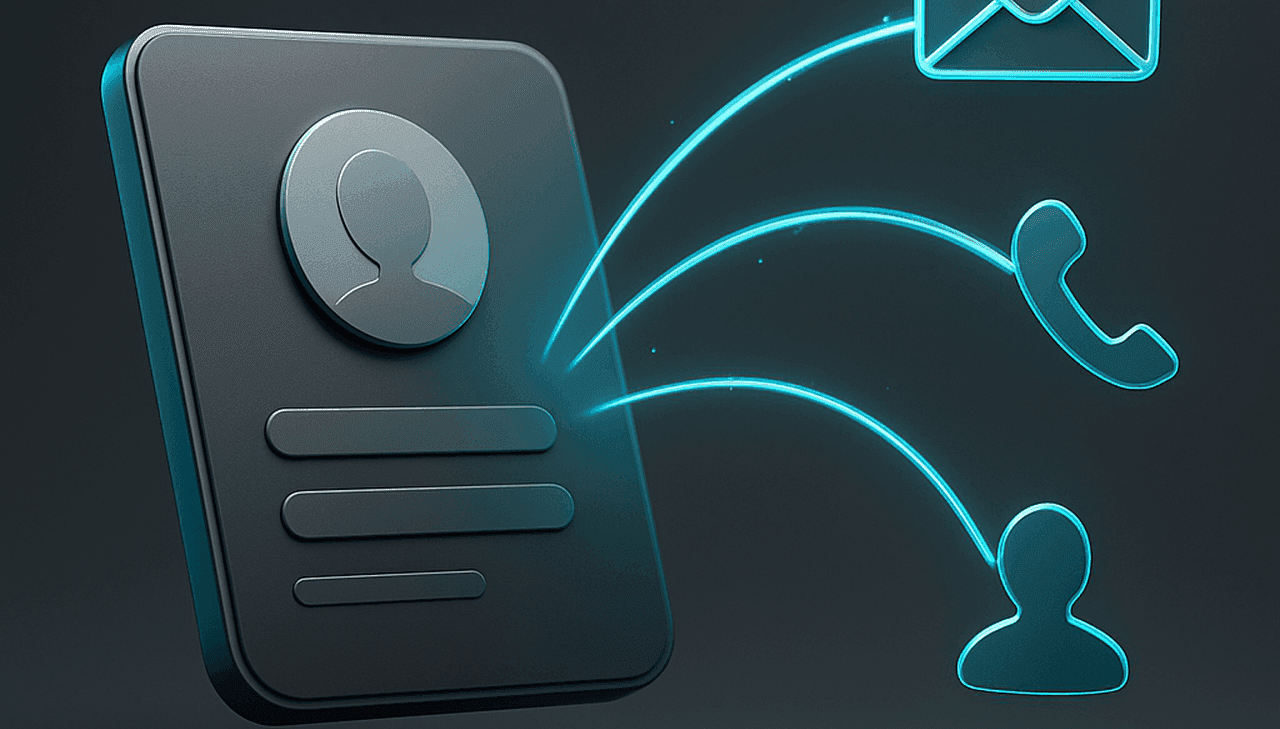
If you are still running single-channel outbound campaigns, you are leaving revenue on the table. The math is simple: executives receive hundreds of emails weekly, their LinkedIn feeds are saturated with connection requests, and their phone lines are guarded by gatekeepers. A single touchpoint, no matter how well written, is a lottery ticket. Multi-channel personalization is the difference between a campaign that sputters and one that compounds.
For B2B sales teams targeting founders, CEOs, and operational leaders, the stakes are even higher. These decision-makers do not operate in isolation. They are part of buying committees, they rely on trusted advisors, and they expect a certain level of polish before they respond. A single cold email, even with perfect personalization, is easy to ignore. A coordinated sequence that hits email, LinkedIn, and a voicemail with a consistent, role-aware narrative is much harder to dismiss.
This is not about being pushy. It is about building a cadence that respects the buyer's journey while increasing your surface area of relevance. When you combine verified contact data with a multi-channel approach, you are not just increasing touches. You are building a system that allows for genuine personalization at scale, which is exactly what modern outbound demands.
In this playbook, we are going to break down the exact framework for orchestrating email, LinkedIn, and cold call sequences specifically for executive roles. We will cover how to leverage role-based contact data, how to structure your sequences, and how to attribute success across every touchpoint. This is the operational side of outbound that separates top-performing RevOps teams from those still blasting generic blasts.
The Role-Based Contact Data Foundation
Before you write a single subject line or record a voicemail, you need a data foundation that supports personalization. Generic lists of "business emails" are not enough. You need role-based contact data that tells you exactly who you are talking to, what their role entails, and what their likely pain points are. This is where a founder email list or a CEO email list becomes more than just a database—it becomes your strategic asset.
Role-based data allows you to move beyond "Hi [First Name]" personalization. It enables you to tailor your messaging based on the specific challenges and opportunities that define each role. A founder is worried about runway and product-market fit. A CEO is focused on growth strategy and market positioning. An operations manager is buried in workflow inefficiencies and headcount constraints. If your data does not let you segment by these roles, you are flying blind.
When building your lists, look for verified emails, direct phone numbers, and LinkedIn profile URLs. This is non-negotiable. A bounced email or a disconnected phone number kills the momentum of your sequence and damages your sender reputation. You need a data provider that offers accuracy and coverage. For example, if you are targeting SMBs and local businesses, you need business owner email list filters that let you narrow down by company size, revenue, and location. For enterprise plays, you need the depth of a decision maker email list planning strategy that maps out the entire buying committee.
Ultimately, your data quality determines your personalization ceiling. You cannot craft a compelling message for a role you do not understand, and you cannot deliver that message if the contact information is stale. Invest in the data foundation first, and the multi-channel sequence will follow.
Multi-Channel Sequence Architecture: Email + LinkedIn + Cold Call
Once your data is solid, the next step is architecting the sequence itself. A multi-channel sequence is not about randomly touching a prospect on three channels. It is about orchestrating a deliberate, timed narrative that guides the prospect from first impression to booked meeting. The goal is to be present without being annoying, and persistent without being pushy.
Here is a framework for how to structure your touches across a 14-21 day window. This is not a rigid template but a starting point for building your own cadence. Understanding the sales process helps inform how you sequence these touchpoints for maximum impact.
| Day | Channel | Touch Type | Role-Based Angle |
|---|---|---|---|
| Day 1 | Cold Email (Intro) | Reference a specific trigger (funding, hiring, launch) relevant to their role. | |
| Day 3 | Connection Request | Personalized note: "Admiring your work on [X]. Would love to connect." | |
| Day 5 | Follow-up (Value Add) | Share a relevant insight, case study, or industry stat tied to their role's KPIs. | |
| Day 7 | InMail / Message | Follow up on connection request. Ask a question about their current priorities. | |
| Day 10 | Phone | Call 1 (Voicemail) | Reference the email and LinkedIn. Leave a concise, role-specific voicemail. |
| Day 12 | Breakup Email | Politely ask if they are still the right person or if they want to be removed. | |
| Day 15 | Phone | Call 2 (Callback) | Try again. Leave a second voicemail with a different angle or a specific question. |
| Day 18 | Engagement | Like/comment on their recent post. Keep your name in front of them. | |
| Day 21 | Final Follow-up | Breakup email. "Assuming this isn't a priority right now, I'll close the loop." |
This architecture works because it leverages the strengths of each channel. Email is great for detailed, trackable communication. LinkedIn is perfect for social proof and warm introductions. The phone is the most direct and personal channel, but it requires prior touches to be effective. By combining them, you create a multi-threaded approach that meets the prospect where they are most comfortable.
When building these sequences, consider the role you are targeting. A founder might respond better to a message about scrappy growth hacks, while a CEO might be more interested in strategic partnerships. An operations manager will care about efficiency and cost savings. Tailor your channel mix and messaging accordingly. For a deeper dive into executive outreach, check out this CEO email list strategy for more tactical advice.
Role-Specific Personalization Tactics
Personalization is more than just inserting a company name. It is about demonstrating that you understand the specific world of the person you are contacting. Here is a breakdown of personalization tactics by role, which you can use to inform your messaging across all channels.
Founder Personalization Tactics
- Funding Events: Mention their recent Series A or seed round. "Congrats on the recent raise—clearly seeing strong traction in [market]."
- Startup Communities: Reference their activity in Y Combinator, Product Hunt, or niche Slack groups. "Saw you're active in the [X] community—curious how you're approaching [problem]."
- Founder-Led Sales: Acknowledge that they are likely doing the selling themselves. "I know as a founder, your time is split. That's why I wanted to share how we help other founders automate [specific task]."
- Product/Launch News: Congratulate them on a recent feature launch or product update. "The new [feature] you shipped is interesting—how are you measuring its impact?"
CEO Personalization Tactics
- Board Mentions: Reference their latest board presentation or shareholder letter if public. "Noticed your commentary on [topic] in your last update—we're seeing similar trends with our clients."
- Growth Benchmarks: Compare their growth metrics to industry benchmarks. "Most CEOs we speak with are struggling with [metric]. We help them improve it by [X}%."
- Strategic Partnerships: Focus on how your solution helps them achieve strategic goals like entering new markets or acquiring competitors. "We help CEOs like you evaluate [partnership/M&A] opportunities more efficiently."
- Team Building: Acknowledge the challenge of scaling teams. "Hiring the right talent is a common theme. We help you avoid the cost of a bad hire by [X]."
Operations Manager Personalization Tactics
- Workflow Pain Points: Speak directly to their daily challenges. "We help ops managers eliminate the manual work of [specific task] so they can focus on strategic initiatives."
- Headcount Efficiency: Focus on doing more with less. "Our clients typically reduce the time spent on [process] by 30%, allowing their existing team to scale without adding headcount."
- Tool Stack Overload: Acknowledge the complexity of their tech stack. "With so many tools in your stack, we know integration is key. That's why we built [feature] to work seamlessly with [common tools]."
- Process Improvement: Frame your solution as a way to streamline operations. "We help ops leaders like you standardize [process] across departments, reducing errors and improving turnaround time."
These tactics are most effective when combined with a solid data foundation. For example, if you are targeting operations leaders, you might use an operations manager email list to ensure you have the right contacts and then layer in these personalized messages.
Email Sequence Templates for Executive Contacts
Email remains the workhorse of outbound. It is trackable, scalable, and allows for detailed messaging. However, executive inboxes are the most contested real estate in B2B. Your subject line needs to earn the open, and your body copy needs to earn the reply. Here are some short-form templates designed for executive contacts, focusing on role-based priorities.
Template 1: The Founder-Focused Cold Email
Subject: Quick question re: [Company]'s growth
Hi [First Name],
I saw that [Company] recently raised a [Series X] round. Congrats! As a founder, I know you're focused on scaling efficiently.
We help early-stage companies like yours streamline [specific process, e.g., customer onboarding] to save [X] hours per week. I have a few ideas based on your recent [feature launch/hiring spree].
Open to a quick 10-minute chat next week to see if it makes sense?
Best,[Your Name]
Template 2: The CEO Value Proposition Email
Subject: [Company]'s [Metric] vs. Industry Benchmark
Hi [First Name],
I've been following [Company]'s progress in [Market]. Your team is doing great work on [specific initiative].
We work with CEOs to improve [specific metric, e.g., customer LTV] by [X]% through [your solution]. Given your focus on [strategic goal], I thought you might find this relevant.
Would you be open to seeing a 2-minute analysis we did for a similar company in your space?
Best,[Your Name]
Template 3: The Ops Manager Efficiency Email
Subject: Reducing manual work in [Specific Process]
Hi [First Name],
I'm reaching out because we help operations managers like you cut down the time spent on [specific process, e.g., data entry] by up to 40%.
I noticed [Company] is growing, which often means more manual work for your team. Our platform automates [specific task], freeing up your team to focus on higher-value projects.
Worth a quick chat to see if this aligns with your priorities?
Best,[Your Name]
These templates are starting points. The key is to customize the bracketed sections with specific, role-relevant details. For more on building effective email lists for these roles, you can explore founder email search or CEO email addresses to ensure you have the right targets.
LinkedIn Outreach Frameworks for Decision-Makers
LinkedIn is the social layer of your outbound strategy. It provides social proof, a platform for thought leadership, and a direct line to decision-makers. However, it is also a crowded space. Your connection request needs to stand out, and your follow-up messages need to provide value. Here is a framework for using LinkedIn effectively in your multi-channel sequence, including how lead generation principles inform your outreach approach.
Connection Request Personalization
Do not use the default connection request. Take the time to write a personalized note. Mention a mutual connection, a recent post they shared, or a specific detail about their company. The goal is to get them to accept the request and start a conversation.
Example: "Hi [Name], I saw your recent post on [topic] and found your perspective on [detail] really insightful. I work with [industry] leaders on [related problem] and would love to connect."
InMail Sequence Hooks
Once connected, your InMail should be concise and value-driven. Do not pitch immediately. Instead, ask a thoughtful question or share a relevant resource. The goal is to start a dialogue.
Example: "Hi [Name], thanks for connecting. I was curious—how are you currently handling [specific challenge]? I have a few ideas that might help, but I'd love to hear your perspective first."
Engagement Tactics
Engagement is a low-touch way to stay on their radar. Like and comment on their posts with genuine insights. Share their content with your network. This builds familiarity and makes your future outreach more recognizable. These engagement signals can also inform your prioritization of prospects when combined with proper lead scoring methodologies.
LinkedIn is most effective when used in conjunction with email and phone. It provides a warm touch that can increase the response rate of your cold emails and make your cold calls more welcome.
Cold Call Sequences for Executive Contacts
Cold calling is not dead, but it has evolved. For executives, the phone is often the most direct way to get a decision, but it requires a strategic approach. You need to navigate gatekeepers, leave compelling voicemails, and have a script that respects their time. The key is to use the phone as a tool for setting up a conversation, not delivering a pitch.
Gatekeeper Navigation
Gatekeepers are not your enemy; they are your gatekeepers to the executive. Be polite, professional, and confident. Instead of asking to be transferred, ask for guidance.
Script: "Hi, this is [Your Name] from [Company]. I'm trying to reach [First Name] [Last Name]. I know they're busy, so I wanted to see if you could point me in the right direction. Is there a better time to call, or is [email] the best way to reach them?"
Voicemail Scripts
Your voicemail should be short, specific, and action-oriented. Reference your previous touches and provide a clear reason for the call. Do not leave a long message; instead, create curiosity.
Script: "Hi [First Name], this is [Your Name] from [Company]. I sent you an email last week about [topic]. I know you're busy, but I have a quick idea on how we can help [Company] improve [specific metric]. I'll send you a quick follow-up email with more details. If it's not a priority, no problem—just let me know. My number is [phone number]. Thanks."
Callback Boosters
If you do not get a response, leave a second voicemail a few days later with a different angle. Reference a recent event or a piece of content they shared. The goal is to show persistence and relevance.
Script: "Hi [First Name], it's [Your Name] again. I saw you shared [article/post] on LinkedIn the other day—great insights. I actually had a thought on how that relates to [your solution]. Would love to connect for 5 minutes to discuss. I'll be in your area next week if you have any time. Otherwise, I'll try again later. Thanks."
Cold calling for executives requires a high level of preparation. You need to know their business, their role, and their likely pain points. This is where your role-based data becomes critical. If you have the right phone numbers and the right context, your call will be more effective. For more on building these lists, check out resources on VP Sales emails or other role-specific searches.
Multi-Thread Coverage: Reaching the Full Buying Committee
Rarely does an executive make a purchase decision in a vacuum. There is usually a buying committee involved, including the economic buyer (often the CEO or founder), the user (like an operations manager), and an influencer (like a VP of Sales). If you are only targeting the top executive, you are missing out on the people who will champion your solution internally.
Multi-thread coverage means running parallel sequences for different roles within the same account. This ensures that your message is heard by multiple stakeholders, increasing your chances of getting a response and building consensus. For example, while you are sending a strategic email to the CEO, you might also be sending a more tactical, pain-point-focused email to the operations manager.
This approach requires a more sophisticated use of your data. You need to map out the buying committee for each account and have the right contacts for each role. This is where a decision maker email list becomes invaluable, as it allows you to segment by role and build comprehensive account maps.
When orchestrating multi-thread sequences, timing is everything. You do not want to bombard the account with too many touches at once. Instead, stagger your outreach so that different roles are being contacted at different times. This creates a sense of momentum and shows that you have a deep understanding of the account's structure.
Sequence Attribution and Optimization
You cannot improve what you do not measure. Attribution is the process of tracking which touches are driving responses, meetings, and ultimately, revenue. In a multi-channel sequence, this is complex but essential. You need to know if your email is driving the meeting, or if it was the LinkedIn message that warmed them up, or if the phone call sealed the deal.
To do this, you need a unified view of your outreach. Your CRM should be the central hub, logging every email, LinkedIn interaction, and call. You should be using UTM parameters for any links you send, and you should be tracking phone call outcomes (connected, voicemail, left message). This data allows you to see which channels are performing best at each stage of the sequence.
Once you have attribution data, you can optimize your sequences. For example, if you notice that your LinkedIn connection request acceptance rate is high, but your InMail response rate is low, you might adjust your InMail copy. If you see that your phone calls are not getting through, you might change your calling times or your voicemail script. The key is to be data-driven and iterative.
For a deeper dive into the data infrastructure required to support this, you might find it useful to explore topics around RevOps lead data infrastructure to ensure your tech stack can handle the complexity of multi-channel attribution.
Data Quality Requirements for Multi-Channel Sequences
The success of your multi-channel sequence hinges on the quality of your data. If your email addresses bounce, your LinkedIn URLs are invalid, or your phone numbers are disconnected, your carefully crafted sequence will fall flat. Not only will you waste time and money, but you will also damage your sender reputation and your domain's deliverability.
Here is what you need to look for in a data provider to support your multi-channel efforts:
- Verified Emails: The email should be verified at the time of delivery, not just at the time of upload. Look for providers that offer real-time verification.
- Direct Phone Numbers: For cold calling, you need direct dials, not just main switchboard numbers. This is especially important for executive contacts.
- Active LinkedIn URLs: The LinkedIn profile URL should be accurate and active. This ensures your connection requests and profile views are going to the right person.
- Role Accuracy: The data should accurately reflect the contact's current role. A title like "VP of Sales" can change quickly, so you need a provider that updates its database regularly.
Investing in high-quality data is not an expense; it is an investment in your pipeline. Poor data quality is one of the leading causes of outbound failure. By ensuring your data is clean, you are setting your multi-channel sequences up for success. For more on what to check before you buy, read about B2B data accuracy validation.
Building Your Role-Based Multi-Channel Outbound Workflow
Now that we have covered the individual components, let us put it all together into a step-by-step workflow that you can implement with your team. This is a practical guide for RevOps and agency teams looking to build a repeatable, scalable outbound engine.
- List Building: Start by defining your ideal customer profile (ICP) and the roles you want to target. Use a tool like Dievio's lead search to build a list of companies that fit your criteria. Use filters for industry, company size, and location.
- Segmentation: Once you have your list, segment it by role. Create separate lists for founders, CEOs, and operations managers. This will allow you to tailor your messaging and sequences for each group.
- Enrichment: Ensure your data is complete. Use a tool like LinkedIn URL enrichment to find the right profile URLs and verify email addresses. This step is crucial for ensuring your multi-channel touches are delivered.
- Sequence Design: Map out your multi-channel sequence for each role. Decide on the timing and channel mix. Use the framework provided earlier as a starting point and customize it based on your experience.
- Channel Orchestration: Execute your sequence. Use your sales engagement platform to automate the email and LinkedIn touches. For the phone, use your CRM to log calls and track outcomes. Ensure that all touches are logged in a central location.
- Attribution: Track the performance of each channel. Monitor open rates, click-through rates, response rates, and meeting booked rates. Use this data to understand which touches are driving results.
- Optimization: Use the data from your attribution to optimize your sequences. A/B test subject lines, email copy, and call scripts. Double down on what works and cut what does not. This is an ongoing process of continuous improvement.
This workflow is designed to be iterative. You will not get it perfect on the first try. The key is to start, measure, and refine. By following this process, you can build a predictable outbound engine that consistently generates qualified meetings with executive buyers.
Final Thoughts and Next Steps
Multi-channel personalization for role-based outbound is not a trend; it is the new standard. Executives expect a tailored, omnichannel experience. By combining verified contact data with a strategic sequence across email, LinkedIn, and phone, you can cut through the noise and have meaningful conversations with the people who matter most.
The playbook we have outlined here is your starting point. It is a framework that you can adapt to your specific market, your product, and your team. The key is to be disciplined, data-driven, and persistent. Start by building a solid data foundation, then layer on the personalization, and finally, optimize based on real-world results.
If you are ready to take your outbound to the next level, the first step is ensuring you have the right data. Explore how a founder email list or a CEO email list can give you the foundation you need to launch your multi-channel campaigns with confidence. The right data, combined with the right strategy, is the formula for outbound success.
Build Your First Outbound List to validate the segment before you commit to full outreach.