Dievio
In the modern B2B landscape, the era of mass-market "spray and pray" outreach is effectively over. Reply rates have plummeted not because of algorithm changes alone, but because buyers are smarter, more skeptical, and inundated with generic noise. To succeed today, outbound teams must pivot toward a strategy that balances volume with relevance. This is the core challenge of cold email personalization at scale. It is not about writing unique emails for every single prospect manually; that is unsustainable. It is about building a framework where personalization is automated, dynamic, and data-driven.
This guide is designed for lean sales operations teams and agencies who need enterprise-level personalization without the enterprise-level manual effort. We will break down the technical and strategic elements required to execute this effectively, covering template structures, variable selection, intent signal integration, and workflow automation.
1. Why Personalization at Scale Matters Now
The stakes have never been higher. According to recent industry data, generic cold emails are performing significantly worse than they did five years ago. Buyers expect relevance. They want to know that you understand their specific business challenges, their recent news, or their role within the organization. When an email feels templated in a negative way, it triggers a filter response. When it feels researched and relevant, it opens a door.
However, there is a fine line between "personalized" and "creepy." If you over-index on personalization, you risk appearing like a stalker rather than a helpful partner. The goal of scaling personalization is to achieve the latter. You want to send an email that feels like it was written by a human who knows the prospect, but is actually sent by a machine that knows the data.
For B2B teams, this shift is critical. Inbound leads are great, but they are often limited in volume. Outbound remains the primary engine for pipeline generation for most organizations. To keep that engine running, you cannot rely on manual research for every opportunity. You need a system. A system that allows you to segment your audience, apply dynamic content based on specific triggers, and measure the impact of those personalization efforts accurately.
Without a structured approach to personalization at scale, your team will burn out, your deliverability will suffer due to poor data hygiene, and your revenue growth will stall. The solution lies in a robust stack of tools and a disciplined workflow.
2. The Personalization Stack: What You're Working With
Before diving into templates, it is essential to understand the three layers that make up the personalization stack. These layers work in tandem to ensure your outreach is both technically sound and strategically relevant.
- Template Structure: This is the skeleton of your email. It must be modular, allowing for variable insertion without breaking the narrative flow.
- Personalization Variables: These are the dynamic data points (e.g., company name, recent funding) that replace static text.
- Intent Signals: These are behavioral or data-driven triggers that determine when and how to personalize a message.
Many teams fail because they focus only on the template. They create a beautiful email but fail to populate the variables correctly. Others focus on data but ignore the narrative flow. A successful workflow requires all three layers to be synchronized. For instance, a variable like "recent funding" is only useful if the template acknowledges it in a way that makes sense contextually.
3. Template Architecture for Scale
Designing a template for scale requires a modular approach. You cannot write a 500-word essay for every prospect. Instead, you build blocks. Think of your email as a series of interchangeable parts that fit together based on the data available for that specific lead.
A robust template architecture typically includes three main sections: the Hook, the Value Proposition, and the Call to Action (CTA). The Hook is where personalization lives. This is the only place where you should attempt to grab attention immediately. The Value Prop should remain broad enough to apply to the segment but specific enough to be credible. The CTA should be low-friction.
Here is a conceptual example of how a modular template might look in code structure:
For additional context, see HubSpot on sales prospecting.
<code>Subject: {{First_Name}} - {{Company_Name}} & {{Recent_Event}}

Hi {{First_Name}},

I noticed {{Company_Name}} recently {{Recent_Event_Summary}}.

I've been following your work in {{Industry_Sector}} and saw how {{Company_Name}} is tackling {{Industry_Pain_Point}}.

We help companies like yours {{Value_Prop_Summary}}.

Are you open to a brief chat next week?

Best,
{{Sender_Name}}</code>
By using placeholders like this, your automation tool can swap in the data. However, the key is ensuring the logic behind the swap is sound. If the variable is missing, the email should have a fallback. A missing variable often looks like a broken template, which destroys trust. Always ensure your system has a fallback mechanism for missing data fields.
4. High-Impact Personalization Variables
Not all data points are created equal. Some variables drive engagement significantly higher than others. When building your campaign, prioritize variables that signal you have done your homework. Below is a breakdown of high-impact variables ranked by their potential to drive replies.
| Variable | Impact Level | Why It Works | Data Source |
|---|---|---|---|
| Company Name | High | Confirms identity immediately; prevents "copy-paste" feeling. | CRM / Enrichment |
| Prospect Role | High | Shows you understand their responsibilities and pain points. | CRM / LinkedIn |
| Recent Funding | Very High | Indicates budget availability and growth momentum. | News / Crunchbase / PitchBook |
| Job Change | Very High | Signals a transition period where new tools are often needed. | LinkedIn / News |
| Industry Pain Point | High | Shows industry-specific knowledge and empathy. | Internal Research / Reports |
| LinkedIn Activity | Medium | Humanizes the prospect; shows they are active on social. | LinkedIn API / Enrichment |
| Content Download | High | First-party intent; proves interest in your topic. | Website Analytics / HubSpot |
| Website Visit | Medium | Shows active interest in your brand or competitors. | Intent Data / Website |
| Tech Stack Change | High | Directly relevant for SaaS and tech vendors. | Stack Detection / BuiltWith |
| Expansion/Headcount | Medium | Indicates growth and potential need for new hires/tools. | LinkedIn / News |
When selecting your variables, consider the cost of data. Some variables, like "recent funding," are easy to find via public news. Others, like "tech stack change," might require paid enrichment tools. You must balance the value of the variable against the cost of acquiring the data. For lean teams, starting with the "Very High" impact variables is usually the best ROI strategy.
5. Intent Signals: What They Are and Where to Source Them
Intent signals are the triggers that tell you a prospect is ready to buy or is actively looking for a solution. They are the difference between sending a cold email and sending a timely follow-up. There are two main categories of intent signals: first-party and third-party.
First-party intent signals come directly from your own data. This includes when a prospect visits your website, downloads a whitepaper, or engages with your content. These are highly reliable because they prove interest in your specific value proposition. However, they are often limited in volume for cold outreach.
Third-party intent signals come from external data providers. This includes funding announcements, job postings, or technology stack changes. These signals indicate that the company is in a state of change, which often correlates with a need for new software or services.
For example, LinkedIn Sales Navigator is a powerful source for intent data. It allows you to filter prospects based on recent activity, such as "hiring for a specific role" or "posted about a specific technology." Similarly, third-party data providers can tell you if a company has raised Series B funding or if they have recently implemented a competitor's software.
When integrating these signals, you must be careful not to over-rely on them. A prospect might have visited your website once, but that doesn't mean they are ready to buy. Context matters. A funding announcement is a stronger signal than a single page view. Always weigh the strength of the signal before personalizing your outreach.
6. Integrating Intent Signals Into Your Email Workflow
Having the data is one thing; using it in a workflow is another. To implement intent signals effectively, you need a structured process. This process ensures that personalization is not an afterthought but a core part of your automation.
Here is a step-by-step workflow for integrating intent signals:
- Trigger Identification: Define what actions count as a trigger. For example, a prospect visiting the pricing page or a company raising funding.
- Variable Mapping: Map the trigger to a specific variable in your email template. If the trigger is "funding," the variable is "recent funding summary."
- Template Selection: Choose the appropriate template based on the trigger. A "funding" trigger might warrant a different message than a "job change" trigger.
- Send Timing: Determine when to send. Immediate follow-up on a trigger is often best, but sometimes a delay is needed to avoid spam filters.
- Validation: Ensure the data is accurate before sending. A broken link or outdated funding amount can ruin credibility.
This workflow requires coordination between your sales ops team and your tech stack. You need to ensure that the data flowing into your email platform is clean and up to date. If your data decays, your personalization fails. Regular list hygiene is essential to maintain the integrity of your intent signals.
For additional context, see Salesforce guide to B2B lead generation.
For teams looking to streamline this process, tools that offer API integrations can help automate the data flow. This ensures that when a trigger happens, the email is queued automatically without manual intervention. This is the essence of scaling personalization.
7. Personalization Variables Checklist
Before launching a personalized campaign, you must validate your data. A campaign built on bad data will result in low engagement and high bounce rates. Use this checklist to ensure your data is ready for personalization.
- Field Completeness: Are all required variables populated for every lead? Missing data should trigger a fallback or a manual review.
- Data Accuracy: Is the information current? A job title from two years ago is likely outdated.
- Data Freshness: When was the data last updated? Intent signals decay quickly; verify recent activity.
- Consistency: Does the data match across sources? Ensure the company name is consistent between your CRM and the enrichment tool.
- Relevance: Does the variable make sense in the context of the offer? Don't mention "funding" if you are selling a cost-cutting tool to a company that just raised money.
- Privacy Compliance: Ensure you are using data in compliance with GDPR and CCPA. Avoid using sensitive personal data for personalization.
Running this checklist before launch can save you from sending thousands of emails that look broken or unprofessional. It is better to pause and clean your data than to send and fix it later.
8. Common Personalization Mistakes to Avoid
Even with the best intentions, teams often fall into traps that undermine their personalization efforts. Avoid these common pitfalls to ensure your outreach remains effective.
- Wrong Variable Data: Using a variable that is incorrect, such as a wrong company name or job title, destroys trust instantly. Always verify data before sending.
- Over-Personalization Creep: Stuffing an email with too many variables can look desperate or robotic. Keep it natural.
- Generic Fake Personalization: Using "I saw you posted on LinkedIn" when they didn't post anything is a major red flag. Only use data you can verify.
- Missing Fallback Text: If a variable fails to populate, the email should still make sense. Don't leave blank spaces or broken sentences.
- Ignoring Data Decay: Data changes over time. A variable that was relevant last month might not be relevant today. Refresh your data regularly.
- Neglecting Deliverability: Personalization should not come at the cost of deliverability. Avoid using too many links or images in the personalization fields.
By avoiding these mistakes, you can maintain a high level of professionalism and relevance in your outreach. Personalization is a tool, not a magic bullet. It works best when combined with a solid value proposition and a clear call to action.
9. Tools and Tech Stack for Scaling Personalization
To execute this strategy, you need the right tools. Your tech stack should include an email sequencing platform, an enrichment tool, and an intent data provider. For B2B teams, the integration between these tools is critical.
Email sequencing platforms allow you to build the templates and manage the cadence. Enrichment tools help you fill in the variables with accurate data. Intent data providers give you the triggers to time your outreach.
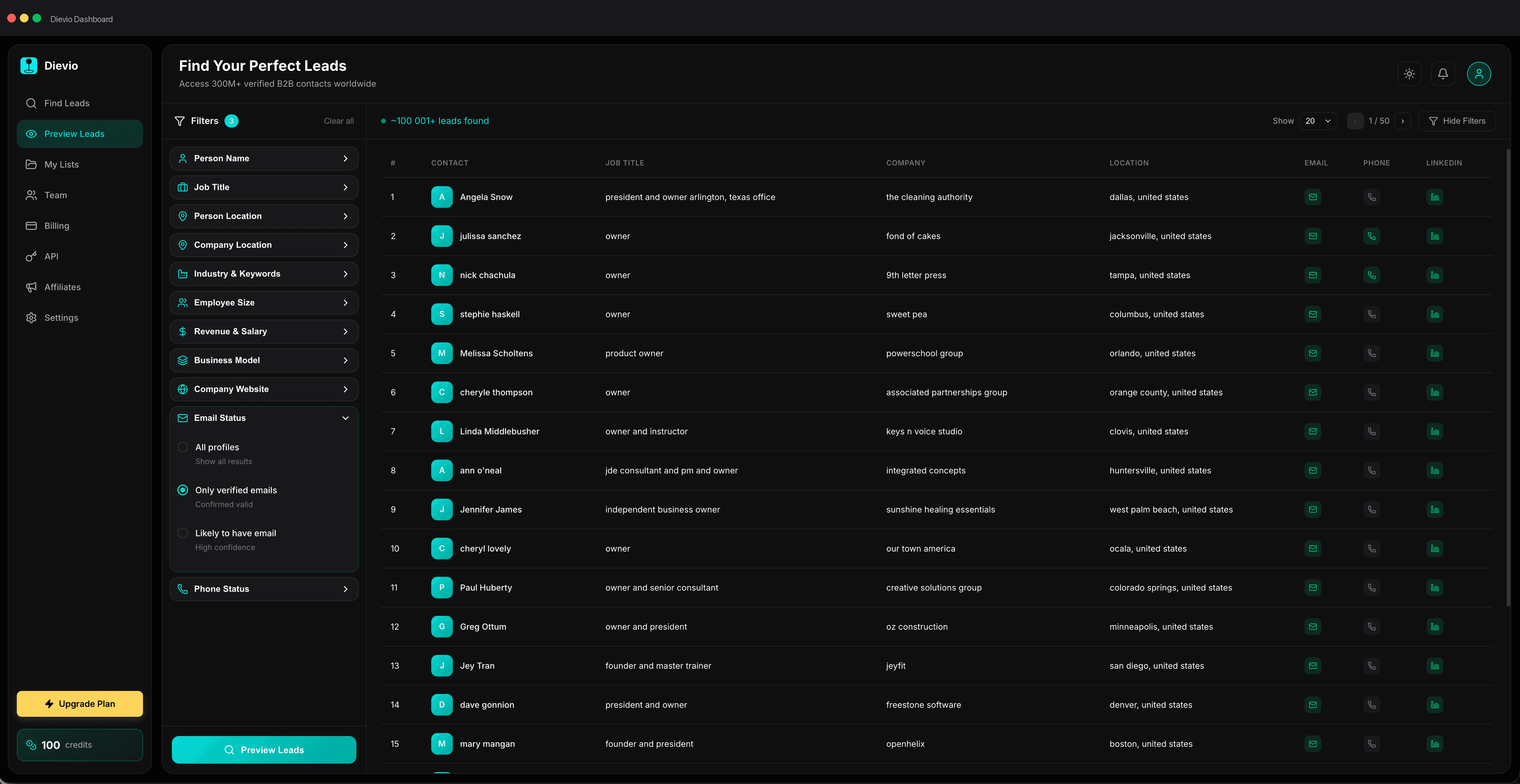
For teams looking to build their own workflows, Dievio offers a powerful solution. You can use build your first personalized lead list with 20+ filters to ensure you have the data fields needed for personalization. This allows you to target specific variables like job title, company size, and industry with precision.
Additionally, Dievio's API enables product and ops teams to integrate lead search and enrichment directly into their internal tools. This ensures that your personalization workflow is seamless and automated. For those who prefer a manual approach, the LinkedIn Lookup feature allows you to enrich profile URLs with verified emails and optional phones, ensuring your personalization data is accurate.
When selecting tools, consider the cost and the ease of integration. You want a stack that works together, not a collection of siloed tools. The goal is to reduce manual effort while increasing the quality of your outreach.
10. Measuring Personalization ROI
Finally, you must measure the success of your personalization efforts. Without metrics, you cannot optimize. There are several KPIs to track to understand the impact of your personalization strategy.
For additional context, see LinkedIn Sales Solutions on the sales process.
Variable Fill Rate: This measures how often your variables are populated correctly. A low fill rate indicates data issues.
Reply Rate by Personalization Depth: Compare reply rates between emails with no variables, one variable, and multiple variables. This helps you determine the optimal level of personalization.
Conversion Rate by Segment: Track how many leads move to the next stage of the pipeline based on the intent signals used.
Attribution can be tricky in outbound. It is important to track the full journey, from the initial email to the meeting booked. Use your CRM to tag leads based on the personalization variables used in the initial outreach. This allows you to see which variables drive the most revenue.
Testing is also key. Run A/B tests on different variables. Test "recent funding" against "job change" to see which resonates more with your audience. Over time, you will build a library of insights that informs your future campaigns.
Conclusion
Cold email personalization at scale is not about writing more emails; it is about writing better emails with the help of data. By structuring your templates, selecting high-impact variables, and integrating intent signals, you can create an outreach strategy that feels human and drives results.
The key is discipline. You must maintain your data hygiene, validate your variables, and measure your ROI. When done correctly, personalization becomes a scalable asset that grows your pipeline without burning out your team.
If you are ready to start building your personalized lead list, ensure you have the right data foundation. Use tools that allow you to filter by the specific variables you need for your campaign. This ensures that your personalization is not just a gimmick, but a strategic advantage.
Start small, test your variables, and scale as you learn. The goal is to create a workflow that is sustainable, effective, and compliant. With the right stack and a disciplined approach, you can dominate your niche with personalized outreach.
Build your first personalized lead list today and see how data-driven personalization can transform your outbound results.