Dievio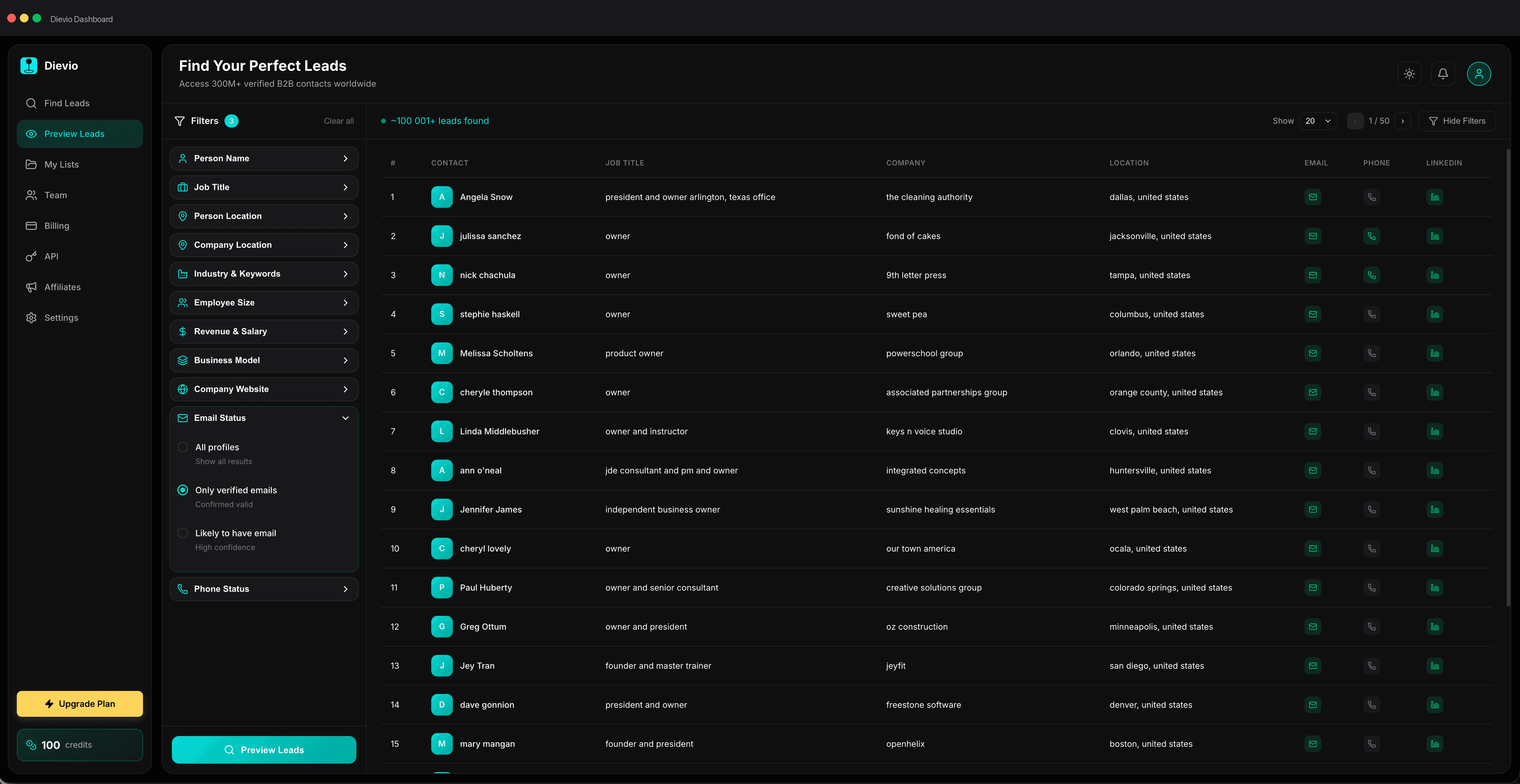
For outbound operators, the inbox is the battlefield, and sender reputation is the ammunition. Before you ever fire a single cold email into the void, the technical foundation of your domain and IP address must be solid. Many teams rush to launch campaigns on new domains, only to find their emails landing in the spam folder or being blocked entirely. This is not a matter of copywriting or list quality alone; it is a matter of infrastructure and behavioral history. This technical guide walks B2B outbound teams through the complete email warmup process for new domains and accounts. We will cover the mechanics of sender reputation, step-by-step warmup schedules, infrastructure setup, common pitfalls, and how to monitor progress using key deliverability metrics.
Warmup is non-negotiable. It is the bridge between a new digital identity and trust with major inbox providers like Gmail, Outlook, and Yahoo. Without it, even the most compelling offer will fail to reach the intended decision-maker. In this article, we will establish the technical framework for building email sender reputation from scratch before launching outbound campaigns, covering domain setup, account behavior patterns, monitoring metrics, and scaling across multiple sending accounts.
According to industry standards, a full warmup cycle typically takes between three to six weeks for new domains. This timeline is dictated by how long it takes for ISPs to gather enough data to validate your sending behavior as legitimate. Rushing this process is the fastest way to burn a domain. Let's break down the technical requirements to ensure your outbound infrastructure is ready for scale.
How Email Sender Reputation Works
Understanding sender reputation is the first step in mastering deliverability. Reputation is not a single number; it is a composite score calculated by inbox providers based on a variety of signals. When you send an email, the receiving server checks your domain and IP against its database of known spammers and blacklists. If your reputation is low, your email is filtered. If it is high, it enters the primary inbox.
The components of this reputation score include sending history, complaint rates, spam trap hits, and engagement signals. Sending history refers to the volume and consistency of emails you send over time. A sudden spike in volume from a new domain triggers spam filters. Complaint rates are perhaps the most damaging metric; when a recipient marks an email as spam, it signals to ISPs that your content is unwanted. Spam trap hits are even worse; these are email addresses created specifically to catch spammers. If your email bounces from a spam trap, your reputation can be destroyed instantly.
Engagement signals are positive indicators that recipients are interacting with your emails. Opens, clicks, and replies tell ISPs that your email is valuable. However, engagement must be balanced with volume. If you send 10,000 emails and get 10,000 opens, that is suspicious. If you send 100 emails and get 100 opens, that is healthy. The role of inbox providers is to protect their users from spam, so they use these signals to determine placement. There is a distinct difference between domain reputation and IP reputation. Domain reputation is tied to your email address (e.g., @yourcompany.com), while IP reputation is tied to the server sending the email. For outbound teams, managing both is critical. If your IP gets blacklisted, your domain suffers. If your domain is known as spammy, your IP takes the hit.
Major providers like Google and Microsoft use complex algorithms to weigh these factors. They look at the ratio of bounces to sends, the ratio of complaints to sends, and the rate of engagement. A high bounce rate during the initial phase of warmup can signal that your list is poor quality, which often leads to a shutdown of the sending account. Therefore, the quality of the data you use during warmup is just as important as the technical setup. You cannot warm up a domain with a list of invalid addresses.
Pre-Warmup Infrastructure Setup
Before you configure your warmup tool or schedule your first test emails, you must verify your DNS configuration. This is the technical handshake between your sending server and the internet. If your DNS records are missing or misconfigured, your emails will be marked as suspicious regardless of your warmup efforts. The foundation of email authentication consists of three primary records: SPF, DKIM, and DMARC.
SPF (Sender Policy Framework) is a DNS record that lists the IP addresses authorized to send email on behalf of your domain. It prevents spoofing by telling receiving servers which IPs are legitimate. DKIM (DomainKeys Identified Mail) adds a cryptographic signature to your emails. This signature verifies that the email was not altered in transit and that it came from your domain. DMARC (Domain-based Message Authentication, Reporting, and Conformance) tells receiving servers what to do if an email fails SPF or DKIM checks. It also provides a reporting mechanism so you can see if anyone is impersonating your domain.
For a dedicated outbound infrastructure, you should use a dedicated sending domain. Do not send cold outreach from your primary business domain (e.g., @yourcompany.com). Instead, use a subdomain (e.g., @outreach.yourcompany.com) or a secondary domain. This separates your transactional emails, marketing emails, and cold outreach. If your cold outreach gets flagged, your primary domain remains safe. When setting up your DNS, ensure your MX records are pointing correctly to your mail server. Additionally, check for any forwarding rules that might interfere with the authentication process.
Here is a checklist for your pre-warmup infrastructure setup:
- SPF Record: Ensure it includes all IPs used for sending and uses a strict policy (e.g., -all).
- DKIM Key: Generate a public/private key pair and publish the public key in your DNS.
- DMARC Policy: Start with 'p=none' to monitor, then move to 'p=quarantine', and finally 'p=reject' once reputation is established.
- Reverse DNS (PTR): Ensure your sending IP has a PTR record that matches your domain.
- Domain Age: Ideally, register the domain at least 30 days before launching campaigns to avoid "new domain" flags.
According to Salesforce guide to B2B lead generation, adhering to these infrastructure standards is a prerequisite for successful lead generation. Without proper authentication, even the best content will be filtered out. Once your DNS is verified, you can proceed to the behavioral warmup phase.
Domain Warmup vs. Account Warmup
It is crucial to distinguish between domain-level warmup and account-level warmup. Domain-level warmup focuses on establishing DNS trust. This involves ensuring that your SPF, DKIM, and DMARC records are recognized by ISPs. It is a technical process that happens at the DNS level. Account-level warmup focuses on behavioral patterns that Google and Microsoft track. This involves how the email account interacts with the inbox. Does it send emails to real people? Does it receive replies? Does it get marked as spam?
Why must both happen simultaneously? Because ISPs look at the combination of technical authentication and user behavior. If your DNS is perfect but your account sends 500 emails in one day to cold prospects, your account behavior will flag you as a spammer. Conversely, if you send one email a day to a warm contact but your DNS is misconfigured, the technical failure will block your email. Both layers must be aligned.
Domain warmup is about proving you are a legitimate sender to the network. Account warmup is about proving you are a legitimate user to the recipient. During the warmup phase, you are essentially training the algorithms that govern inbox placement. You are teaching the system that your emails are safe. This training requires consistency. You cannot send a burst of emails today and then stop for a week. The algorithm expects a steady stream of activity to validate the domain.
The 30-Day Progressive Warmup Schedule
The most effective way to build reputation is through a progressive schedule. This approach gradually increases the volume of emails sent, allowing ISPs to adjust their filters to your domain. A common mistake is to start with high volumes, which triggers spam filters immediately. Below is a detailed 30-day progressive warmup schedule with volume benchmarks. This schedule assumes you are using a dedicated sending domain and account.
| Week | Days | Volume (Emails/Day) | Primary Focus |
|---|---|---|---|
| Week 1 | 1-7 | 5-10 | Internal contacts and highly engaged prospects |
| Week 2 | 8-14 | 20-30 | Warm prospects and existing connections |
| Week 3 | 15-21 | 50-80 | Expanded prospect list with verified emails |
| Week 4 | 22-30 | 100-150 | Approaching campaign volume levels |
During Week 1, the goal is to establish a baseline of engagement. You should send emails to internal contacts first. This ensures that your domain is receiving replies and that your emails are not being blocked by your own server. Then, move to highly engaged prospects. These are people you have interacted with before or who have explicitly opted in to your communications. Avoid purchased lists during this phase. If you send emails to invalid addresses, you will generate bounces, which will hurt your reputation immediately.
By Week 2, you can increase the volume as your reputation score begins to stabilize. The key here is to maintain a high open rate. If your open rate drops significantly, you should pause the volume increase. Week 3 is where you start to test the waters with a broader list. You should begin to see replies from prospects. This engagement is the strongest signal to ISPs that your email is desired.
By Week 4, you should be able to reach your target campaign volume. However, do not jump straight to your maximum daily send limit. Gradually increase the volume over the course of the week to ensure stability. This schedule is a guideline, but you must monitor your metrics closely. If you see a spike in bounces or complaints, reduce the volume immediately. The goal is to build a reputation that can sustain your long-term sending volume without degradation.
Warmup Contact Selection
The contacts you use for warmup are just as important as the schedule you follow. You need to select recipients who are likely to engage with your emails. The best contacts for warmup are internal employees and existing customers. Internal contacts ensure that your emails are being delivered and opened. Existing customers are less likely to mark your emails as spam because they already trust your brand.
Avoid purchased lists during the warmup phase. Purchased lists often contain spam traps and invalid addresses. If you send emails to these addresses, you will generate bounces and complaints, which will damage your reputation. Instead, use your own contacts or a small list of warm leads. Engagement criteria for warmup recipients should include a history of interaction. If you have emailed a prospect before and they opened your emails, they are a good candidate for warmup. If you have never interacted with them, wait until your reputation is higher.
Two-way email conversations are the gold standard for warmup. When you send an email and receive a reply, it signals to ISPs that your email is valuable. This is why you should prioritize sending emails that invite a response. Avoid sending long, one-way newsletters during the warmup phase. Instead, send short, personalized messages that ask a question or request a reply. This increases the likelihood of engagement and helps build your reputation faster.
For additional context, see HubSpot on sales prospecting.
Furthermore, list hygiene directly impacts warmup success and deliverability outcomes. Before you begin your warmup campaign, ensure your data is clean. You should use a tool to validate your emails and remove any invalid addresses. This reduces the risk of bounces and complaints. For more details on this process, refer to our Outbound List Hygiene Checklist Before Export. A clean list is the foundation of a successful warmup strategy.
Monitoring Warmup Health
During the warmup phase, you must monitor your warmup health closely. There are several key metrics to track: open rates, click rates, bounce rates, and complaint rates. Open rates should be high, ideally above 50% for warmup contacts. Click rates should also be positive, indicating that recipients are engaging with your content. Bounce rates should be low, ideally below 2%. Complaint rates should be near zero. If your complaint rate exceeds 0.1%, you should pause your warmup immediately.
There are tools available to monitor your reputation, such as Google Postmaster Tools and Microsoft SNDS. These tools provide insights into your domain reputation and how ISPs view your sending behavior. Google Postmaster Tools allows you to see your domain's reputation score and how it compares to other domains. Microsoft SNDS provides similar insights for Microsoft's network. Use these tools to track your progress over time. If your reputation score is low, you may need to adjust your warmup schedule.
Red flags during the warmup phase include a sudden increase in bounces, a drop in open rates, or a spike in complaints. If you see these signs, you should investigate the cause. Is your list quality poor? Are you sending too many emails? Is your content triggering spam filters? Once you identify the issue, take corrective action. This might involve reducing your volume, cleaning your list, or adjusting your email content.
Another critical metric to monitor is the number of emails that land in the spam folder. You can test this by sending emails to your own inbox and checking the headers. If your emails are landing in the spam folder, you need to adjust your authentication records or your sending behavior. Regular monitoring ensures that you stay on track and do not accidentally damage your reputation.
Common Warmup Mistakes
Even experienced outbound operators can make mistakes during the warmup phase. These mistakes can lead to a damaged reputation and failed campaigns. Here is a checklist of common warmup mistakes to avoid:
- Sending Too Fast: Increasing volume too quickly triggers spam filters. Stick to the progressive schedule.
- Buying Low-Quality Lists: Purchased lists often contain spam traps and invalid addresses. Use your own contacts or verified lists.
- Ignoring Bounces: Bounces hurt your reputation. Remove invalid addresses immediately.
- Using the Same Content Repeatedly: Sending the same email to everyone looks like spam. Personalize your messages.
- Skipping SPF/DKIM Verification: Without proper authentication, your emails will be marked as suspicious.
- Not Monitoring Metrics: Failing to track open rates and complaints means you won't know if you are damaging your reputation.
- Using the Primary Domain: Always use a subdomain or secondary domain for cold outreach.
One of the most common mistakes is ignoring bounces. If you send an email to an invalid address, it will bounce. If you have too many bounces, ISPs will flag your domain as spammy. You should remove invalid addresses from your list immediately. Another mistake is using the same content repeatedly. If you send the same email to everyone, it looks like spam. Personalize your messages to increase engagement and reduce the risk of being flagged.
Skipping SPF/DKIM verification is also a major error. Without proper authentication, your emails will be marked as suspicious. You must ensure that your DNS records are configured correctly before you start sending. Finally, not monitoring metrics means you won't know if you are damaging your reputation. Regular monitoring ensures that you stay on track and do not accidentally damage your reputation.
Scaling Warmup for Multiple Outbound Accounts
As your outbound team grows, you will need to manage multiple sending accounts. Scaling warmup for multiple accounts requires a robust infrastructure. You cannot simply warm up each account individually without a plan. You need to manage rotation strategies and dedicated vs. shared sending domains. If you use a shared domain for multiple accounts, one bad actor can ruin the reputation of the entire domain.
For teams managing 5+ sending accounts, you should use a dedicated sending domain for each account. This isolates the risk. If one account gets flagged, the others remain safe. You can also use a warmup tool to manage multiple accounts simultaneously. These tools automate the warmup process and ensure that each account follows the progressive schedule.
Rotation strategies involve sending emails from different accounts to different recipients. This prevents any single account from being flagged for high volume. You should also manage cadence across accounts. If you send emails from Account A and Account B on the same day, it looks suspicious. Stagger the sending times to ensure that your overall volume looks natural.
When scaling, you must also monitor the reputation of each account individually. Use tools like Google Postmaster Tools to track the reputation of each domain. If one account starts to show signs of trouble, pause it immediately. This prevents the issue from spreading to your other accounts. Scaling warmup is a technical challenge that requires careful planning and execution.
Integrating Warmup With Outbound Workflow
Once your warmup is complete, you can launch your outbound campaigns. However, you should not launch immediately. Wait at least one week after the final warmup email to ensure stability. Monitor deliverability post-launch. If you see a drop in open rates or an increase in bounces, you may need to adjust your strategy. Re-warmup triggers after campaign pauses or list changes. If you pause your campaign for a long time, your reputation may decay. You may need to restart the warmup process.
Connection to lead data quality is critical. Warmup is foundational, but the article it enables is about building high-converting lists. If your data is poor, your warmup efforts will be wasted. You should use a tool like Build Your Outbound Lead List to ensure your data is accurate and verified. This ensures that your warmup emails are sent to real, engaged prospects.
Proper segmentation reduces complaint rates during and after warmup. You should segment your list based on engagement and interest. This ensures that your emails are relevant to the recipients. For more details on this, refer to our ICP Segmentation Framework for Outbound Teams. Segmentation helps you target the right people with the right message.
Finally, ensure that your CRM data is clean. CRM data hygiene for outbound teams is essential for maintaining a clean pipeline. If your CRM contains outdated information, your emails will bounce. Regularly update your CRM to ensure that your data is accurate. This helps you maintain a high reputation and improve your deliverability.
Summary and Next Steps
Recap of warmup phases: Domain setup, DNS configuration, progressive volume increase, contact selection, and monitoring. Warmup is a technical process that requires patience and precision. It is the foundation of successful cold outreach. Without it, your emails will not reach your prospects. With it, you can build a reputation that sustains your long-term growth.
Link to related articles on list building and data hygiene. Data quality is the upstream variable that determines warmup outcomes. If your data is poor, your warmup will fail. Ensure your list is clean and verified before you start. Use tools to validate your emails and remove invalid addresses.
For teams ready to launch their outbound campaigns, the next step is to build a campaign-ready prospect list. You need high-quality data to ensure your warmup efforts are not wasted. Use our lead search tool to find verified contacts that match your ICP. This ensures that your emails are sent to real, engaged prospects.
If you are ready to start your outbound campaign, Build Your Outbound Lead List today. Ensure your data is accurate and verified before you start your warmup process. This will help you achieve the best possible deliverability and engagement rates. Remember, warmup is non-negotiable. It is the bridge between a new digital identity and trust with major inbox providers. Build your reputation, and your campaigns will succeed.