Dievio
Lead List Maintenance: How to Keep B2B Prospect Data Fresh Between Campaigns
In the high-stakes world of B2B outbound sales, the quality of your data is the single most critical variable you control. You can write the most compelling email copy, perfect your LinkedIn messaging, and optimize your landing pages, but if the contact information you are sending to is outdated, your campaign is destined to fail. This is not a problem of random error; it is a systematic issue known as data decay. Industry benchmarks suggest that B2B lead lists decay at an average rate of 25% to 35% per quarter. This means that for every list you build, roughly a third of those contacts will have changed roles, left the company, or had their email addresses updated by the time you are ready to launch your next sequence.
Many operators treat list building as a one-time event. They build a list, export it, and then let it sit in the CRM for weeks or months until the next campaign cycle begins. This is a reactive approach that ignores the reality of the modern business landscape. Companies restructure, executives move on, and email domains change frequently. By the time you send your first email to a prospect from a list built six months ago, you are likely shooting in the dark.
This guide provides a practical framework for maintaining prospect data quality between outbound campaigns. We will cover the mechanics of data decay, how to determine the right refresh cadence for your team size, and a structured hygiene checklist to run before every export. We will also discuss the decision matrix for when to enrich existing data versus rebuilding from scratch, and how to measure the return on investment for your maintenance efforts. The goal is to ensure that every credit you spend on outreach is spent on a live, engaged, and accurate prospect.
Why Lead Data Decays (And Why It Matters Now)
Understanding the mechanics of decay is the first step in managing it. Data does not rot because of negligence; it rots because of the natural lifecycle of business. When you build a list today, you are capturing a snapshot of the market at a specific moment in time. However, the market is dynamic. Several factors contribute to the degradation of your lead list over time.
First, consider job changes. In the B2B sector, turnover is significant. A VP of Sales might leave for a competitor, a CTO might be promoted to CEO, or a Director of Marketing might be laid off during a restructuring. If your list contains these individuals, their email addresses often change with their new roles, or they may no longer be the decision-maker you intended to target. Second, company status changes. Companies grow, shrink, pivot, or shut down. A company that was a viable target last quarter might have been acquired, leading to a domain change, or might have pivoted away from the solution you are selling, making them a poor fit.
The impact of this decay on your campaign is immediate and measurable. When you send emails to invalid addresses, you incur bounce rates. High bounce rates damage your sender reputation, which can lower your deliverability for future campaigns. Beyond technical bounces, there is the erosion of reply rates. Even if an email does not bounce, it may land in the spam folder of a new domain, or the contact may not recognize your company if they have moved to a different organization. This results in wasted outreach credits and a lower conversion rate per contact.
According to HubSpot on sales prospecting, maintaining high data quality is essential for maintaining a healthy pipeline. They emphasize that prospecting success is not just about volume; it is about the precision of the target. If your data is stale, you are essentially filtering out your own leads before they even see your message.
Furthermore, the cost of bad data extends beyond wasted time. In the era of programmatic outreach, credits are a finite resource. Sending 1,000 emails to a list where 30% are invalid is not just inefficient; it is financially damaging. You are paying for contacts that do not exist or are no longer relevant. This is why address maintenance is not a "nice to have" task; it is a core operational requirement for any outbound team serious about ROI.
The Maintenance Cadence Framework
Once you understand the problem, you need a schedule to solve it. A one-size-fits-all approach to data maintenance does not work. A solo operator has different constraints than a team of ten. The frequency of your list refresh should depend on your team size, your campaign frequency, and the volatility of your target industry.
For teams that run high-frequency campaigns, such as daily or weekly outreach, a quarterly refresh is insufficient. You need a rolling maintenance strategy. For teams that run quarterly campaigns, a pre-campaign deep clean is essential. The following table outlines recommended cadence based on team size and operational capacity.
| Team Size | Recommended Refresh Cadence | Strategy Focus |
|---|---|---|
| Solo Operator (1-2 people) | Every 6 Weeks | Lightweight enrichment on core accounts; rebuild full list quarterly. |
| Lean Team (3-5 people) | Every 4-6 Weeks | Hygiene checks before every export; enrichment on high-value leads. |
| Scaled Team (5+ people) | Every 4 Weeks | Automated sync with CRM; continuous enrichment via API. |
These cadences are guidelines, not rigid rules. You must also consider trigger-based maintenance. If you notice a spike in bounce rates or a drop in reply rates, this is a signal that your data has decayed faster than expected. In this scenario, you should pause outreach and perform an immediate hygiene check. This is often more effective than sticking to a calendar schedule blindly.
Another critical distinction is between pre-campaign hygiene and ongoing maintenance. Before you export a list for a major campaign, you should run a comprehensive hygiene check. This ensures that the list is as clean as possible before it enters your CRM. However, between campaigns, you should perform lighter maintenance tasks, such as updating phone numbers or verifying email formats, to keep the data warm for the next cycle.
5-Point Hygiene Checklist Before Every Campaign
Before you export a list from any database, you must run it through a hygiene filter. This is the most effective way to catch 80% of accuracy issues before they reach your sales team. While there are many tools available to automate this, understanding the five core checks is essential for any operator.
- Deduplication: Ensure that there are no duplicate entries in your list. Duplicates waste credits and can lead to inconsistent messaging if different reps email the same person. Check for exact matches and fuzzy matches (e.g., "John Smith" vs "J. Smith").
- Email Format Validation: Verify that the email addresses follow a standard format. Look for common errors like missing "@" symbols, typos in domain names, or invalid characters. This step prevents immediate bounces.
- Company Status Check: Verify that the company is still active. Use a business registry or a data provider that offers company status flags to ensure the company has not been acquired, dissolved, or pivoted away from your ICP.
- Role Relevance Scan: Ensure the contact title matches your Ideal Customer Profile (ICP). A "Director of Sales" is different from a "Sales Manager." If the role has changed since the last update, the lead may no longer be a decision-maker.
- Engagement History Wipe: If you have previously contacted these leads, ensure you are not sending duplicate outreach. Check your CRM for existing engagement history to avoid spamming contacts who have already been nurtured.
For a deeper dive into these steps, we recommend reviewing our detailed outbound list hygiene checklist. This resource provides specific tools and workflows to automate each of these five points. By integrating these checks into your pre-campaign workflow, you significantly reduce the risk of sending to dead ends.
Enrichment vs. Rebuild: When to Refresh vs. Replace
When you identify that your data is decaying, you have two options: enrich the existing list or rebuild it from scratch. Both have pros and cons, and the decision depends on the extent of the decay and your budget.
Enrichment involves updating the existing records with new information. This is ideal when the list is still relevant in terms of ICP fit, but the contact details are outdated. For example, if you have a list of 1,000 contacts and 20% of the emails are invalid, enrichment can fix those 200 addresses without losing the relationships you have built with the other 800 contacts. This is cost-effective and preserves the effort you put into the original list building.
Rebuilding from scratch is necessary when the list has suffered significant decay or when your ICP has shifted. If 50% of the contacts are invalid, or if the companies on the list no longer match your target market, enrichment is not enough. You need to start over to ensure the quality of your outreach. This is more expensive and time-consuming but ensures a higher baseline of accuracy.
Here is a decision framework to help you choose the right path:
| Scenario | Recommended Action | Reasoning |
|---|---|---|
| Decay is under 20% | Enrich | Cost-effective; preserves existing relationships. |
| Decay is 20-40% | Hybrid (Enrich + Filter) | Update valid emails, remove invalid ones, rebuild for remaining. |
| Decay is over 40% or ICP Shift | Rebuild | Existing data is too unreliable; new criteria needed. |
Be wary of enrichment tool fatigue. If you rely on enrichment tools for every single list, you may run into credit limits or data quality issues from the enrichment provider itself. It is often better to use enrichment tools for specific high-value accounts rather than bulk lists. This is why B2B data accuracy validation is crucial before you commit to a bulk enrichment strategy.
Scoring Which Leads to Prioritize for Refresh
Not all leads are created equal. When you have limited resources for maintenance, you must prioritize. You should focus your efforts on the leads that are most likely to convert. This requires a scoring framework that considers account value and contact relevance.
Start with high-value accounts. If you are targeting enterprise clients, the cost of acquiring a new lead is higher, so the cost of maintaining that lead is also higher. Prioritize refreshing the data for your top 10% of accounts. These are the leads that drive the majority of your revenue.
Next, consider recent engagement. If a lead has interacted with your content, attended an event, or responded to a previous outreach attempt, their data is more likely to be accurate. However, if they have moved on, you need to update the data quickly to re-engage them. Conversely, if a lead has been cold for a long time, their data may be stale, but the risk of outreach is lower.
For additional context, see LinkedIn Sales Solutions on lead scoring.
Finally, prioritize based on your ICP segmentation. If you have recently refined your ICP, you should prioritize refreshing the data for contacts that match the new criteria. This ensures that your outreach is targeted at the right people. For example, if you have moved from targeting "Marketing Directors" to "VPs of Product," you should refresh your list to find the new decision-makers.
Maintenance is easier when each segment has a clear buyer role, such as a decision maker email list for broad leadership coverage.
To implement this, you can use a scoring matrix. Assign points for account size, funding status, and contact title. Then, assign points for data freshness. The highest-scoring leads should be refreshed first. This approach ensures that you are investing your maintenance budget where it will have the most impact on your pipeline.
CRM Integration Points for Automated Hygiene
Manual maintenance is unsustainable at scale. To truly keep your data fresh, you need to integrate your hygiene workflow with your CRM. This allows you to automate the process and ensure that data quality is maintained continuously, not just before campaigns.
One effective integration point is syncing refresh cycles with CRM fields. You can set up workflows that automatically flag records that have not been updated in a certain period. For example, if a lead has not been contacted in 90 days, the CRM can trigger a task for the ops team to verify the contact information. This keeps the data warm without requiring manual intervention.
Another integration point is setting bounce flags. When an email bounces, the CRM should automatically update the lead status and mark the email as invalid. This prevents future outreach to the same address. You can also set up rules to tag stale records. If a record is marked as "stale" after a certain period of inactivity, it can be moved to a separate list for re-enrichment.
For mid-market and enterprise teams, automation is key. You can use APIs to sync data between your lead database and your CRM. This ensures that any updates made to your lead list are reflected in your CRM immediately. This reduces the risk of data silos and ensures that your sales team is always working with the most accurate information.
According to Salesforce guide to B2B lead generation, data quality is a critical component of lead generation strategies. They recommend integrating data management tools with CRM systems to ensure that lead data is accurate and up-to-date. This integration allows for better tracking and reporting, which is essential for measuring the success of your outbound campaigns.
Measuring Maintenance ROI
It is easy to view list maintenance as a cost center. However, when done correctly, it is an investment that pays off in improved reply rates and conversion metrics. To justify the time and resources spent on maintenance, you need to measure the ROI.
The primary metric to track is the reply rate delta. Compare the reply rate of a campaign run on a fresh list versus a campaign run on a stale list. If the fresh list generates a 10% higher reply rate, that is a clear indicator of the value of maintenance. You can calculate the cost per reply to see how much money you saved by maintaining the list.
Another metric is bounce rate reduction. A lower bounce rate means better sender reputation and higher deliverability. This translates to more emails reaching the inbox, which increases the chances of a reply. You can track this by monitoring the bounce rate before and after maintenance.
Finally, measure conversion per contact. If your maintenance efforts lead to more qualified leads, you should see an increase in the number of meetings booked per contact. This is the ultimate measure of success. If your maintenance efforts lead to more meetings, then the time spent is justified.
When reporting to stakeholders, focus on these metrics. Show them the cost of inaction versus the cost of maintenance. Highlight the increase in reply rates and the reduction in wasted credits. This data will help you secure the budget and resources needed for ongoing list maintenance.
Tools and Workflow Quick-Start
To implement this framework, you need the right tools. There are many options available, but the best tools are those that integrate seamlessly with your existing workflow. For most teams, a combination of a lead database, an enrichment tool, and a CRM integration is sufficient.
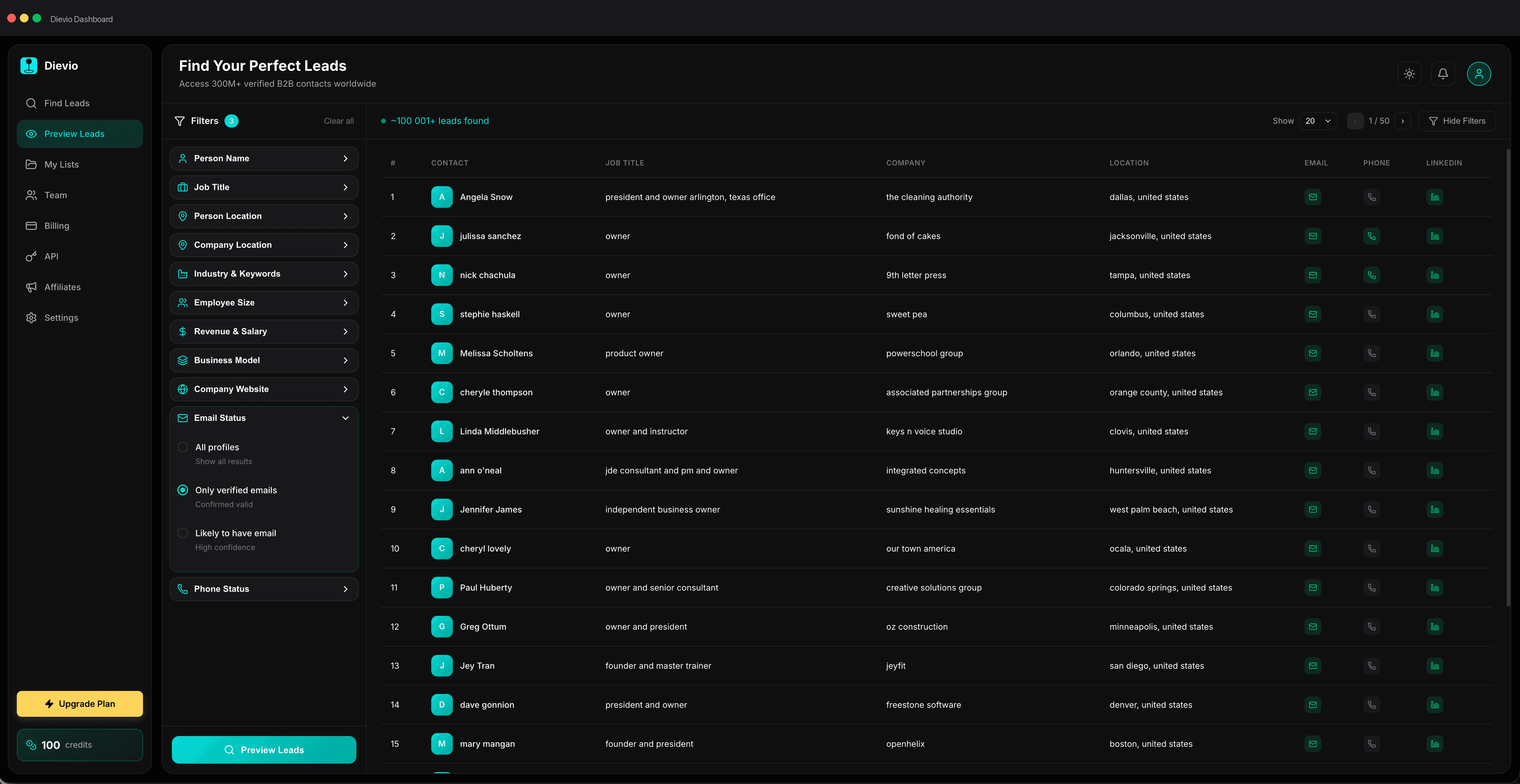
For building and maintaining lists, Dievio offers a powerful platform that allows you to search for leads with over 20 filters. This ensures that you are targeting the right people from the start. You can use the Dievio lead search to find high-quality leads and then use the preview feature to validate the list before exporting. This saves credits and ensures that you are only working with accurate data.
For enrichment, you can use tools that update email addresses and phone numbers. Dievio also offers a LinkedIn lookup feature that allows you to enrich LinkedIn profile URLs with verified emails and optional phone numbers. This is particularly useful for updating contact information for high-value accounts.
For teams that need programmatic access, the Dievio API allows you to integrate lead search and enrichment into your internal tools. This is ideal for teams that want to automate their maintenance workflow. You can build custom workflows that sync data between your CRM and your lead database, ensuring that data is always fresh.
Finally, consider the pricing model. Pay-per-lead models can be more cost-effective for smaller teams that do not need large databases. Annual database contracts are better for teams that need consistent access to large datasets. Choose the model that fits your budget and operational needs.
Conclusion
Lead list maintenance is not a one-time task; it is an ongoing operational requirement. By understanding the mechanics of data decay and implementing a structured maintenance framework, you can ensure that your outbound campaigns are always running on fresh, accurate data. This leads to higher reply rates, better deliverability, and ultimately, more revenue.
Start by establishing a cadence that fits your team size. Use a hygiene checklist before every export to catch errors early. Decide whether to enrich or rebuild based on the level of decay. Prioritize high-value accounts for refresh. Integrate your workflow with your CRM to automate maintenance. And finally, measure the ROI to justify your efforts.
Don't let data decay undermine your best outreach strategies. Take control of your list quality today and ensure that every credit you spend is spent on a live, engaged, and accurate prospect. If you need to build or refresh your list, start with a tool that offers the precision and flexibility you need. Find leads with Dievio and take the first step toward a cleaner, more effective outbound workflow.