Dievio
B2B Data Enrichment Workflows: From Raw Leads to Campaign-Ready Contacts
Most outbound problems that show up later in the funnel actually start at the record level.
If reply rates are soft, deliverability is drifting, SDRs are skipping records, or Salesforce is filling up with half-usable contacts, the issue is often not messaging first. It is data readiness. Raw leads arrive missing job titles, outdated companies, unverified emails, no LinkedIn profile, or no clear routing logic. Then teams push those records into a sequence anyway and hope personalization can compensate for bad inputs.
It usually cannot.
That is why strong outbound teams do not treat enrichment as a one-click append job. They treat b2b data enrichment workflows as an operational system: capture the lead, normalize fields, enrich at the right depth, validate, scrub for compliance, score, route, and refresh. Done well, that process turns a raw list into contacts your team can actually campaign against.
In practical terms, a campaign-ready contact is not just “someone with an email.” It is a record with enough trustworthy data to support targeting, deliverability, personalization, compliance review, and CRM routing. That means the workflow has to be bigger than a spreadsheet upload.
This guide maps that workflow end to end. It is written for RevOps, outbound operators, growth teams, agencies, and sales leaders who need a repeatable process they can implement before the next launch. If you are still evaluating whether your providers have enough coverage for your ICP, start with what to check in B2B data coverage, accuracy, and validation before you buy, because workflow quality depends heavily on source quality.
What Is a B2B Data Enrichment Workflow?
A B2B data enrichment workflow is the sequence of steps used to turn incomplete lead records into validated, usable contact records for outbound and CRM execution.
At a high level, the workflow looks like this:
- Capture raw lead data
- Map and normalize fields
- Run broad enrichment for list-wide coverage
- Apply targeted enrichment where higher precision is worth the extra effort
- Validate critical fields
- Scrub for compliance and suppression
- Score and segment
- Sync and route into CRM or sequencing systems
- Re-enrich based on refresh triggers
This matches how mature lead operations are generally described in broader lead generation and management guidance: lead quality, fit, segmentation, and routing all matter as much as top-of-funnel volume. Salesforce’s overview of B2B lead generation emphasizes the importance of segmentation and qualification before activation, not after the campaign has already started. See Salesforce’s guide to B2B lead generation for the broader context.
Enrichment method comparison
| Method | Best use case | Speed | Cost efficiency | Typical accuracy pattern | Operational tradeoff |
|---|---|---|---|---|---|
| Manual lookup | Very small lists, edge cases, executive research | Low | Low at scale | Can be high if done carefully | Too slow for campaign operations |
| Bulk enrichment | Large imports, segment-wide list cleanup, pre-campaign preparation | High | Usually best for wide coverage | Good but uneven by industry and geography | Requires validation and gap handling |
| API enrichment | Programmatic workflows, forms, product-led funnels, internal tooling | High | Strong for automation-heavy teams | Depends on source and fallback logic | Needs field mapping and engineering support |
| LinkedIn lookup | Named prospects, ABM, recruiter-style targeting, high-value accounts | Medium | Very efficient for targeted records | Strong when profile identity is clear | Not built for broad list-wide enrichment alone |
The key operating principle is simple: use the cheapest reliable method for broad coverage, then layer in more precise methods only where the account value justifies it.
Stage 1: Lead Capture and Initial Field Mapping
The lead enrichment process starts before enrichment. If intake is sloppy, everything downstream gets harder.
For outbound, your minimum viable raw record should include as many of these as possible:
- First name
- Last name
- Company name
- Company domain
- Job title
- LinkedIn profile URL
- Country or region
- Lead source
- Date captured
If you only have company name and a broad title string like “marketing,” enrichment gets expensive fast. Identity resolution works better when your inputs are clean.
At intake, do three things immediately:
- Normalize fields. Standardize country names, title casing, company domains, and source labels.
- Tag source and acquisition context. For example: webinar, paid list, product signup, event scan, hand-built target account list.
- Apply an initial ICP flag. Even a rough yes/no/maybe classification helps later routing.
This stage is also where operators should decide whether the record belongs in a bulk path or a targeted path. A 5,000-contact export from a market segment should not get the same treatment as 40 buying committee members from named accounts.
If you are building lists from scratch, using a filtered lead source first is cleaner than over-enriching a bad segment later. That is where a search workflow like lead search with 20+ filters for ICP list building can reduce how much cleanup you need downstream.
Stage 2: Bulk Enrichment for List-Wide Coverage
Bulk enrichment is the workhorse stage for campaign preparation. It is what you use when you have a list that is directionally right but operationally incomplete.
Typical use cases:
- Imported event attendees
- CRM lead objects missing contact fields
- Segment exports that need verified emails
- Account lists that need contact expansion
- Older outbound lists that need a refresh before sequencing
Baseline bulk workflow
- Upload or pass the raw records into the enrichment tool
- Match by best available identifier: email, domain, LinkedIn URL, or full name plus company
- Append missing fields such as company size, industry, department, seniority, and contact data
- Separate enriched records from non-matches and low-confidence matches
- Run validation against the appended contact fields
- Flag records that need manual review or targeted lookup
This stage is about coverage, not perfection. The mistake teams make is assuming enrichment coverage will be equally strong across all segments. It rarely is. Mid-market US SaaS may enrich beautifully. EMEA manufacturing, APAC agencies, or niche healthcare subsegments may not. That is why provider fit matters. If you have not pressure-tested your sources yet, review coverage, accuracy, and validation checks before you commit to a provider.
One practical tip: define a “bulk-pass success threshold” before you run the job. For example, you may decide that any record missing both a verified work email and a high-confidence role match cannot move into outreach. That prevents your sequencing team from inheriting a messy mixed-quality list.
Stage 3: Targeted Enrichment for High-Value Prospects
After the broad pass, move to targeted enrichment for the records where precision matters more than speed.
This is where human-in-the-loop work earns its keep. High-value prospects often deserve a deeper check because the outreach itself will be more expensive: more personalization, more channels, more rep time, sometimes direct mail or account-specific messaging.
Common cases for targeted enrichment:
- Tier 1 ABM accounts
- Founder and executive outreach
- Inbound or high-intent leads with missing direct contact data
- Strategic territories where low-volume, high-precision outreach matters
A typical targeted workflow looks like this:
- Start from a known identity signal, ideally a LinkedIn profile URL
- Resolve verified email
- Confirm current company and title
- Decide whether a mobile or direct dial is worth adding
- Push the completed record into the correct sequence or owner queue
For this stage, LinkedIn-based lookup is often the cleanest path because it solves the identity problem first. If the profile is clearly the right person, the rest of the record becomes much easier to trust. For teams running named-account plays, LinkedIn profile enrichment with verified emails and optional phones is usually a better fit than another bulk pass.
When should you pay extra for phone numbers? In my experience:
- Add phone data when the account value is high, the sales cycle is complex, or your rep motion already includes calls.
- Stay email-first when you are testing messaging, running high-volume outbound, or targeting personas that still respond well to email and LinkedIn alone.
If you want a more specific decision framework there, the practical rule set in when to add phone numbers to LinkedIn enrichment workflows is a useful companion.
Stage 4: Data Validation and Accuracy Checks
Enrichment is not the same thing as validation. A field can be populated and still be wrong, stale, or risky to use.
This is one of the most overlooked contact data enrichment steps. Teams enrich, export, and launch without checking whether the appended data is actually usable.
Validation checklist by field type
- Email: Is it deliverable, work-related, and not role-based unless role addresses are acceptable for the campaign?
- Title: Is the contact still at the same company, and is the title current enough to match your targeting logic?
- Company: Does the domain match the legal or operating entity you want to target?
- Firmographics: Are employee count, revenue band, industry, and HQ geography accurate enough for segmentation?
- Phone: Is it direct, mobile, switchboard, or unknown?
- LinkedIn URL: Does it resolve to the same identity and current employer?
There are also two different types of validation to think about:
- Person-based validation: Is this the right individual, in the right seat, at the right company?
- Role-based validation: Even if the person is correct, are they still the buyer or influencer for this workflow?
This distinction matters. A valid Director of Operations email is still a poor record if your sequence is built for VP Finance pain points.
Validation should happen before outreach, not after bounce reports and poor reply quality show you what was wrong. For a broader trust framework, see why cold email deliverability starts with lead data quality.
Stage 5: Compliance and Consent Scrubbing
Before any contact touches a sequence, there needs to be a compliance gate.
This article is operational, not legal advice, but the workflow requirement is straightforward: your enrichment layer should not bypass your suppression and compliance logic.
At minimum, scrub for:
- Known bounced emails
- Unsubscribed contacts
- Do-not-contact flags
- Previous complaint history
- Jurisdiction-specific restrictions
- Invalid or conflicting consent records where applicable
Some teams also use positive trust signals such as prior opt-in, recent inbound engagement, or relationship context to guide how aggressively a record can be activated. That does not replace legal review, but it is good operating hygiene.
If your campaigns touch regulated or privacy-sensitive segments, this gate becomes even more important. For a practical boundaries overview, review using B2B lead data within GDPR and CCPA boundaries.
Stage 6: Lead Scoring and Segmentation
Once records are enriched and validated, score them. Do not score dirty or incomplete records first and hope enrichment sorts it out later.
Lead scoring at this point serves a simple purpose: decide what happens next.
LinkedIn’s sales guidance frames lead scoring around fit and intent signals, while Salesforce’s lead management documentation emphasizes structured qualification and routing. See LinkedIn Sales Solutions on lead scoring and the Salesforce lead management implementation guide for the management-side view.
A simple post-enrichment scoring model
| Scoring dimension | Question | Example inputs |
|---|---|---|
| Demographic fit | Is this the right persona? | Title, department, seniority |
| Firmographic fit | Is this the right company profile? | Industry, headcount, revenue band, region |
| Engagement or intent | Have they shown signs of relevance? | Inbound activity, site visits, event attendance, sequence engagement |
| Data completeness | Is the record operationally usable? | Verified email, title confidence, LinkedIn URL, phone availability |
One practical framework:
- Tier 1: High fit, high completeness, validated contact path. Send to immediate outbound.
- Tier 2: Good fit, acceptable completeness, weaker intent or missing a secondary field. Send to nurture or lighter-touch outreach.
- Tier 3: Partial data or uncertain fit. Hold for re-enrichment, manual review, or different segmentation.
A useful operator habit is to score data quality separately from buying fit. That way a great account with a weak contact record does not get lost, and a perfectly enriched but poor-fit contact does not steal rep time.
Stage 7: CRM Sync and Workflow Routing
The record is only campaign-ready when it lands in the right system, with the right field mapping, under the right owner and next-step logic.
This is where many otherwise good enrichment workflow automation efforts break. Teams enrich outside the CRM, then push everything in with inconsistent fields, duplicate records, and no routing discipline.
What to map into CRM
- Contact identifiers: full name, work email, LinkedIn URL, phone
- Company identifiers: account name, domain, industry, employee band
- Enrichment metadata: provider, enrichment date, confidence status
- Scoring fields: fit score, data completeness score, tier
- Compliance fields: suppression status, opt-out flags, regional review notes
- Operational fields: source, owner, sequence eligibility, refresh date
Then route based on a few simple decision rules:
- If Tier 1 and territory match exists, assign to rep and sequence queue
- If Tier 2, route to nurture or SDR review queue
- If Tier 3, hold in research or re-enrichment queue
- If compliance flag exists, suppress from all activation lists
Salesforce’s implementation guidance is useful here because it forces clarity around objects, ownership, and qualification stages rather than treating sync as a blind dump. If you are specifically working through CRM handoff details, how to sync enriched leads with Salesforce without losing data quality is a practical companion.
Finally, set refresh triggers. Records decay. Titles change. companies get acquired. Emails go stale. That means data enrichment before outreach cannot be a one-time event. Use either:
- Time-based refresh: Re-enrich every 60, 90, or 120 days based on motion and market volatility
- Event-based refresh: Re-enrich when a record is reactivated, reassigned, bounced, or re-entered into sequence planning
For cadence planning, refer to how often to refresh B2B lead data before it decays.
Enrichment Workflow Framework You Can Implement Immediately
<code>Stage 1: Capture raw lead
  -> Normalize fields
  -> Tag source + ICP fit

Stage 2: Bulk enrichment
  -> Verified email found?
      -> Yes: send to validation
      -> No: send to targeted enrichment or hold

Stage 3: Targeted enrichment for priority records
  -> LinkedIn identity confirmed?
      -> Yes: append email and optional phone
      -> No: send to manual review

Stage 4: Validation
  -> Email valid + title current + company matched?
      -> Yes: send to compliance
      -> No: send to re-enrichment queue

Stage 5: Compliance scrub
  -> Suppression or consent issue?
      -> Yes: block from outreach
      -> No: send to scoring

Stage 6: Scoring and segmentation
  -> Tier 1: immediate outreach
  -> Tier 2: nurture/review
  -> Tier 3: hold/research

Stage 7: CRM sync and routing
  -> Map fields
  -> Assign owner
  -> Set refresh trigger
</code>
This framework is intentionally simple. Most teams do not need more complexity. They need cleaner gates.
B2B Data Enrichment Checklist
- Capture at least name, company, title, domain, source, and region at intake
- Normalize source labels, country values, and company domains before enrichment
- Separate broad campaign lists from high-value named-account records
- Run bulk enrichment first for segment-wide coverage
- Flag unmatched or low-confidence records instead of forcing them into outreach
- Use LinkedIn or targeted lookup for priority prospects and ABM contacts
- Validate deliverability of every email used for outbound
- Confirm current employer and role for high-value contacts
- Check firmographic fields that drive segmentation and messaging
- Scrub against bounces, unsubscribes, and do-not-contact lists
- Apply a separate data completeness score and fit score
- Route Tier 1, Tier 2, and Tier 3 records into distinct workflows
- Map enrichment metadata and compliance fields into CRM
- Set time-based or event-based re-enrichment triggers before launch
Common Enrichment Mistakes to Avoid
1. Enriching without validating
Populated fields are not the same as trustworthy fields. Fix it by making validation a required gate before sequencing.
2. Using one enrichment method for every record
Bulk tools are not ideal for named executives, and manual research is not ideal for 10,000-record imports. Fix it by splitting broad coverage from high-value targeted workflows.
3. Skipping compliance because the data “looks good”
A valid email can still be a suppressed contact. Fix it by placing compliance scrubbing after validation and before activation every time.
4. Scoring too early
If scoring happens before enrichment and validation, your model is grading incomplete records. Fix it by scoring after the data is operationally usable.
5. Syncing dirty records directly into CRM
This creates duplicates, bad routing, and long-term hygiene problems. Fix it with explicit field mapping, owner rules, and hold queues for weak records.
6. Ignoring data decay
Even a strong list gets weaker over time. Fix it with a refresh cadence tied to campaign timing and reactivation events.
Conclusion
The best b2b data enrichment workflows are not fancy. They are disciplined.
Capture the right raw fields. Run broad enrichment for coverage. Use targeted enrichment where precision matters. Validate before outreach. Scrub for compliance. Score by fit and completeness. Route cleanly into CRM. Then refresh before decay undermines your next launch.
That is what turns raw leads into campaign-ready contacts, and it is what protects the rest of your outbound engine: deliverability, personalization, rep efficiency, and CRM cleanliness.
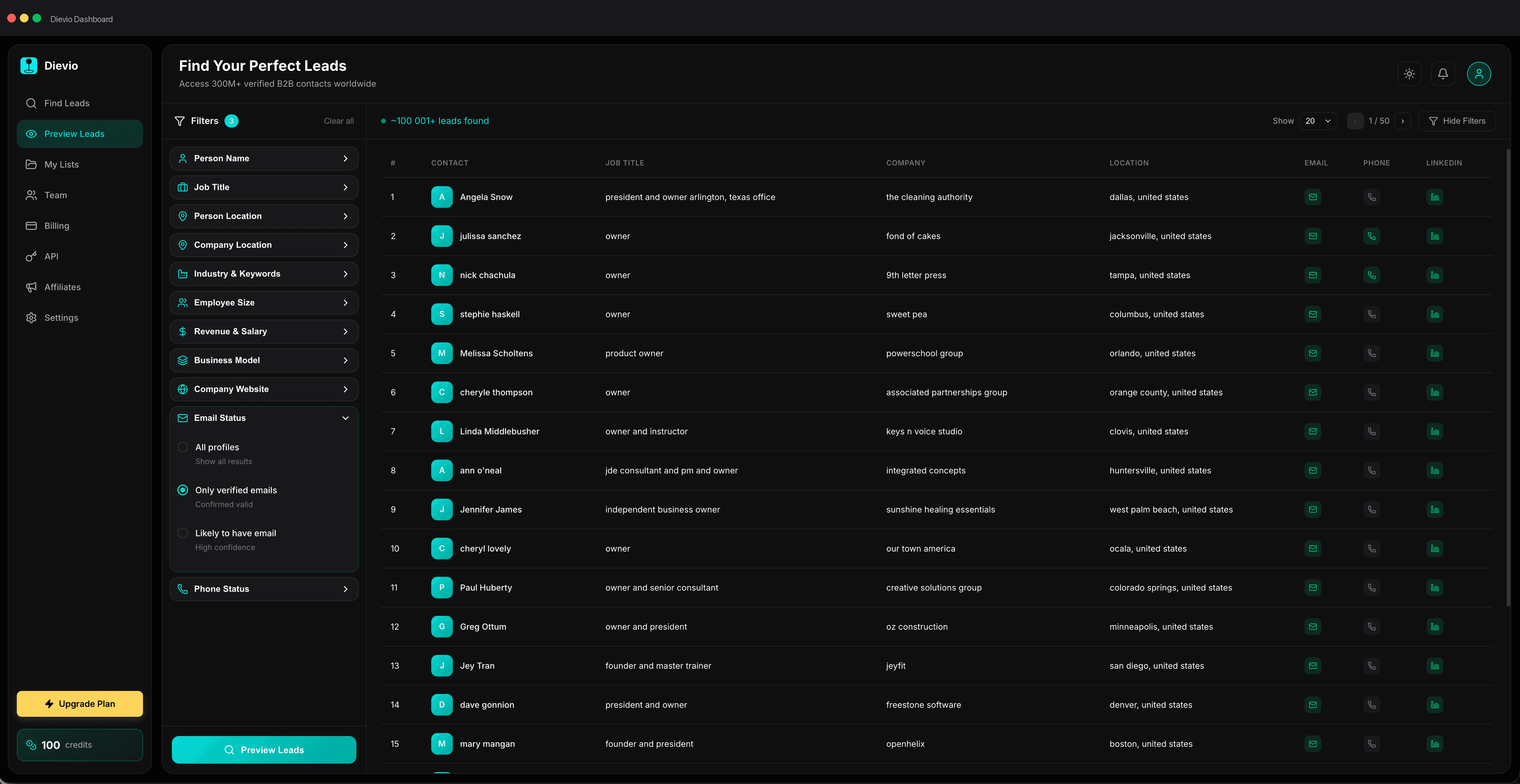
If you are about to launch a new segment or rework an existing list, do not start with exports. Start by checking whether the market has enough reachable contacts to support the workflow you want to run. Preview lead counts and coverage before running enrichment workflows so you can validate segment size and likely enrichment coverage before spending credits or SDR time.